I completed this smart thermostat conversion in under an hour by treating the low-voltage control lines with proper care. Most residential HVAC systems use standard 24-volt AC control loops to cycle the compressor contactor, heat strips, and the indoor blower motor. Blowing the secondary control transformer on the furnace circuit board will kill an entire weekend. I shut off the line voltage at the panel, tagged each conductor before loosening terminals, and the swap went together without a single hitch.
⚡ Quick Guide: How to Make It in 12 Steps
- Cut power and pop old faceplate.
- Photograph and sticker each copper wire.
- Loosen terminal screws to free leads.
- Align new trim plate over drywall.
- Pull wiring bundle through mounting base.
- Center bubble level and pencil holes.
- Drive sturdy drywall anchors into wall.
- Fasten subbase snug against the drywall.
- Trim excess bare conductor with strippers.
- Insert wires and perform tug test.
- Add backup batteries and restore power.
- Pair mobile app and test relays.
📋 In This Article
- Technical Specifications & Components
- Tools & Materials Used — what you will need for this project
- Gathering Tools and Killing Equipment Power
- Photographing and Tagging Old Wire Positions
- Disconnecting Terminals and Wall Plate Removal
- Positioning the New Decorative Cover Plate
- Feeding Control Wiring Through the Subbase
- Leveling the Bracket and Marking Drill Holes
- Installing Drywall Hollow Wall Anchors
- Securing and Fine-Tuning the Mounting Bracket
- Trimming Bare Conductor Ends to Proper Gauge
- Connecting Terminals and Performing Mechanical Pull Tests
- Inserting Batteries and Powering the Unit Up
- Configuring Network Connection and Relay Testing
- FAQ
📊 Technical Specifications & Components
| Operating Voltage | 24V AC Low Voltage Control |
| Terminal Compatibility | Rh, Rc, C, W, Y, G |
| Integrated Tooling | Built-in spirit bubble level |
| Fastener Type | Self-drilling hollow wall plastic anchors |
| Auxiliary Power | Backup dry-cell batteries |
| Network Connectivity | 2.4 GHz Wi-Fi app provisioning |
📊 Project Overview & Costs
🔧 Difficulty Level: Low (standard low-voltage electrical)
⏱️ Time Investment: DIY: 45–60 minutes | Professional: 20–30 minutes
💰 Professional Service Cost: $150–$250 contractor rate
💡 Verdict: Avoids trade contractor dispatch fees by terminating identified 24V field wiring directly into new spring-clamp terminals on-site.
🛠️ Tools & Materials Used
• Cordless drill driver, 12V or 18V
• Precision flathead screwdriver, 2.5mm or 3mm tip
• Phillips screwdriver, #1 or #2 point
• Claw hammer, 16 oz smooth face
• Standard graphite carpenter or marking pencil
• Wi-Fi smart thermostat kit with backplate trim
• Hollow-wall drywall anchors and sheetrock mounting screws
• Adhesive alpha-numeric terminal identification labels
Step-by-Step Guide
Gathering Tools and Killing Equipment Power
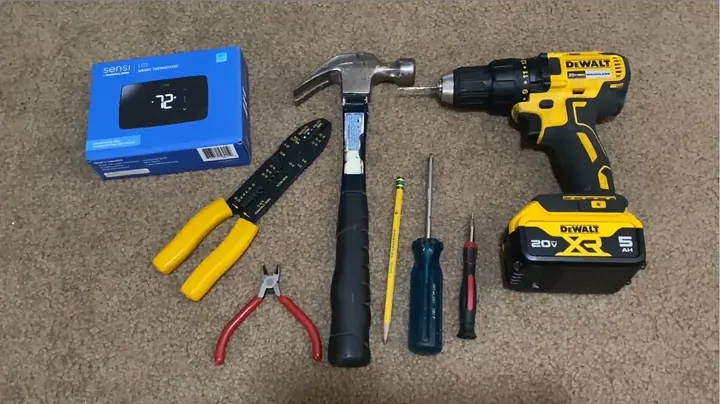
I gathered the required hand tools at my bench before setting foot near the wall mount. The job called for a cordless driver, precision flathead and Phillips screwdrivers, a hammer, wire strippers, and a lead pencil. Residential thermostats run nominal 24-volt AC low voltage, but cutting power to the air handler cabinet remains mandatory. A loose wire brushing against the grounded steel chassis will pop the low-voltage fuse on the main circuit board in a microsecond. I flipped the dedicated breaker in the main service panel and confirmed zero voltage across the equipment. That line was dead.
Photographing and Tagging Old Wire Positions
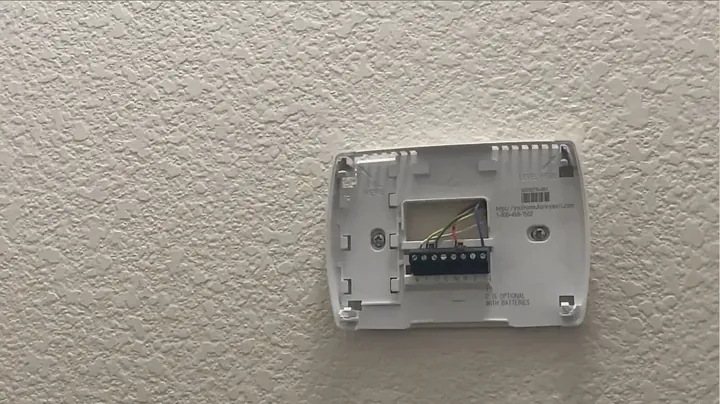
I unsnapped the legacy thermostat faceplate by pulling it straight outward and up. That exposed the subbase screw terminals underneath. I took a crisp macro photo with my phone so I had an exact record of every wire landing on each stamped terminal letter. Factory wire color codes mean nothing in field practice because an installer decades ago might have used green for common or yellow for cooling calls. The new kit supplied a sheet of printed adhesive identification tags. I peeled and wrapped each lettered sticker tightly around its corresponding solid copper conductor. Clean identification matters.
Disconnecting Terminals and Wall Plate Removal
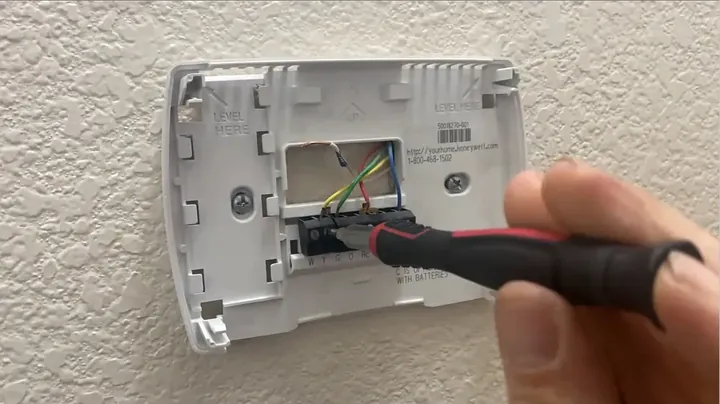
I backed out each terminal screw individually using a narrow slotted jeweler screwdriver. I unthreaded the screws just enough to release the copper leads without dropping any tiny brass fasteners onto the floor. I held the wire bundle firmly so the stiff conductors could not retract inside the drywall opening. Fishing dropped low-voltage wire out of an insulated wall cavity turns a quick swap into an ordeal. Once every conductor was loose and tagged, I backed out the mounting screws holding the old base to the wall. The bracket pulled free.
Positioning the New Decorative Cover Plate
Pulling the old baseplate exposed an unpainted patch of discolored sheetrock and two ragged fastener holes. The decorative trim plate from the kit covers that footprint completely, which spared me from pulling out joint compound and touch-up paint. I centered the trim plate over the primary cable hole to gauge overall coverage across the old blemishes. I adjusted the plastic frame to conceal previous drill blowouts while positioning the mounting zones over solid drywall meat. It fits flush.
Feeding Control Wiring Through the Subbase
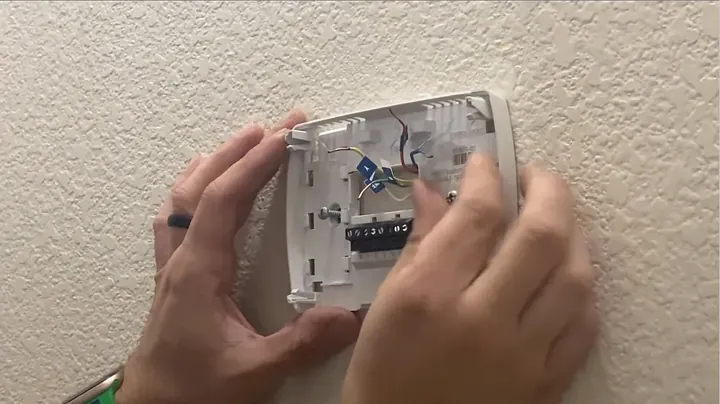
I grouped the tagged control conductors into a neat, straight bundle. I routed the entire wire cluster through the central access cut out on the smart thermostat subbase. Then I lined up the baseplate squarely against the decorative trim plate backing. I checked whether either original wall anchor lined up through the slotted mounting openings. The hole patterns on legacy brackets rarely align with the footprints of modern smart plates. Not an issue.
Leveling the Bracket and Marking Drill Holes
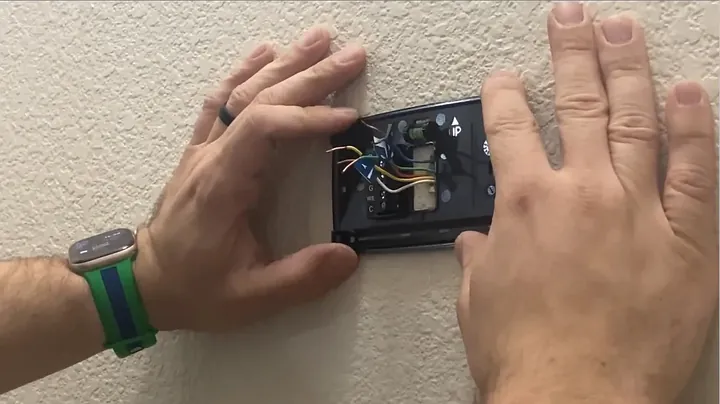
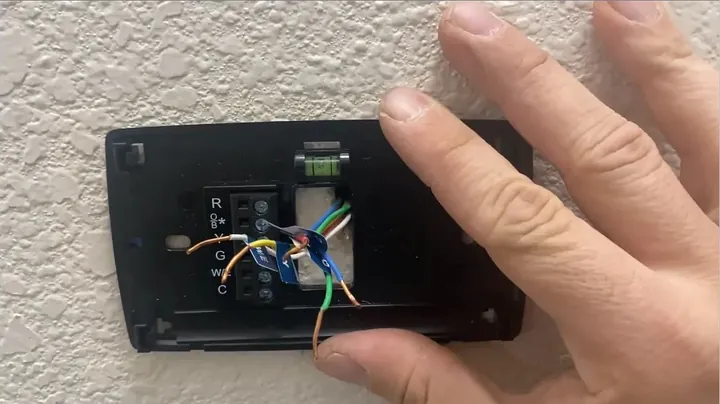
The manufacturer molded a small spirit level right into the center of the mounting subbase. That integrated bubble eliminated the hassle of balancing a separate torpedo level against the wall face. I rotated the subbase slowly until the green fluid bubble settled dead center between the printed witness lines. I pinned the bracket flat against the sheetrock with my thumb to keep it from drifting out of alignment. Then I marked the upper and lower screw slots on the drywall surface with a sharpened pencil. I pulled the bracket off.
Installing Drywall Hollow Wall Anchors
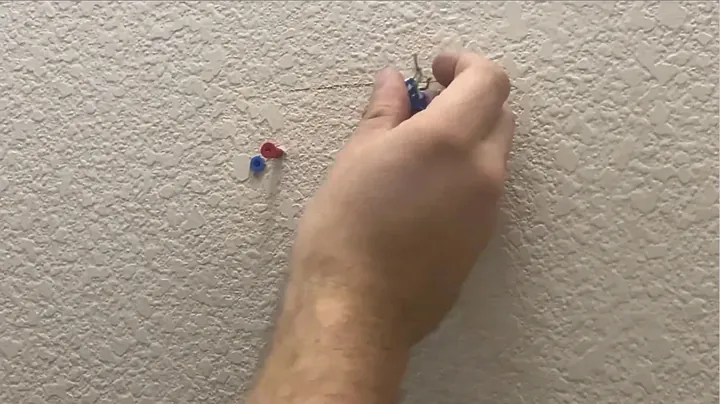
I drilled clean pilot holes through the pencil marks using a twist bit sized to match the anchor sleeves. When working without a cordless drill, driving plastic drywall anchors into the sheetrock using controlled taps with a claw hammer works just as cleanly. The anchor collars need to seat flush against the paper surface of the wall without crushing the surrounding gypsum core. Flush anchor collars prevent the subbase from rocking whenever someone taps the controls later. Solid anchor seats keep the base stable under hand pressure. Anchors seated.
Securing and Fine-Tuning the Mounting Bracket
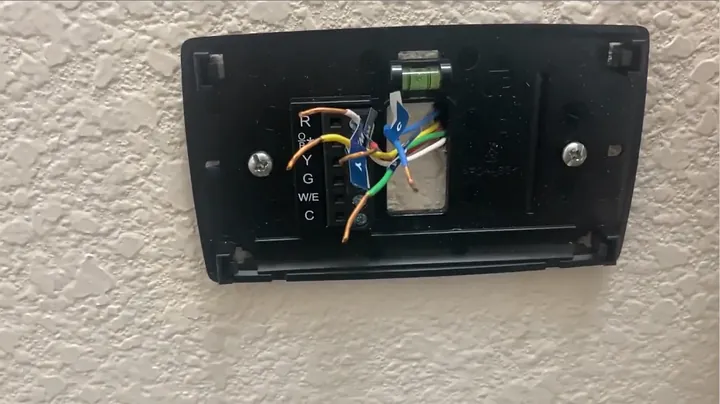
I positioned the trim cover and mounting subbase back over the wall anchors. I threaded both mounting screws into the plastic expansion anchors by hand before touching a driver. I checked the center spirit level as I ran the fasteners home. If the bracket drifted slightly high on one edge, the slotted screw channels allowed me to adjust the angle by a fraction of a millimeter. Once the level vial showed dead center, I cinched the screws snug against the wall plate. No overtightening.
Trimming Bare Conductor Ends to Proper Gauge
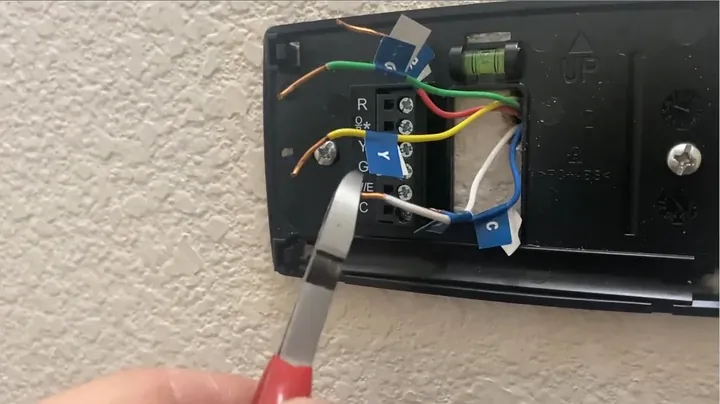
I examined the stripped ends of the solid copper conductors before terminating them. If bare copper protruded past the terminal housing, I clipped the excess length down using diagonal wire cutters. Exposed conductor sitting outside push-in or clamp blocks creates a short hazard between adjacent control circuits. Leaving roughly three-eighths of an inch of bare copper provides ample surface contact inside the terminal clamp. Clean square cuts.
Connecting Terminals and Performing Mechanical Pull Tests
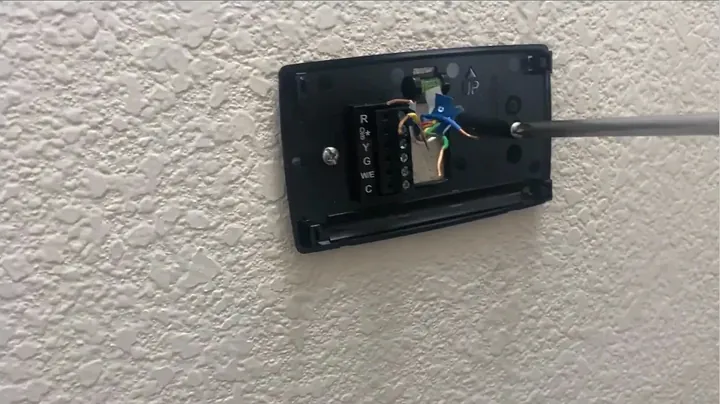
I inserted each tagged lead straight into its matching terminal port based on the terminal letters I recorded earlier. I seated the power, common, cooling, heating, and blower wires all the way into their respective slots. The spring-loaded retaining tabs latched down onto the solid copper. I gave each individual conductor a gentle tug test using needle-nose pliers to confirm a positive mechanical lock. If a wire showed any slip, I pushed the release tab, reseated the copper, and clamped it again. Solid connection.
Inserting Batteries and Powering the Unit Up
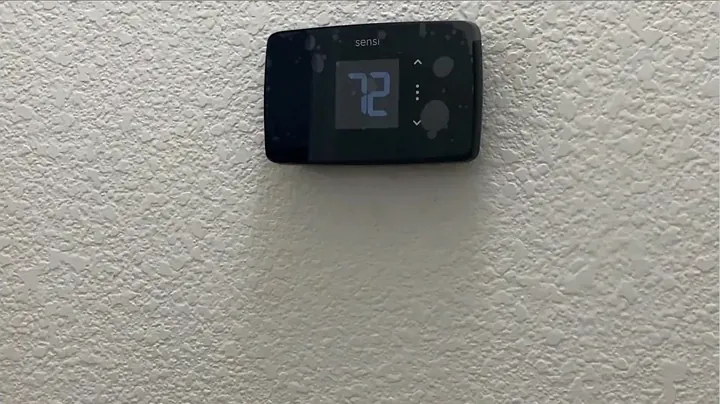
I loaded the auxiliary backup dry cells into the rear tray of the main display head. I aligned the terminal pins and pushed the thermostat body firmly onto the wall bracket until the locking latches snapped into place. Then I went down to the HVAC utility space and flipped the dedicated service disconnect breaker back to on. The internal control relays initialized and the screen backlight came on immediately. Voltage restored.
Configuring Network Connection and Relay Testing
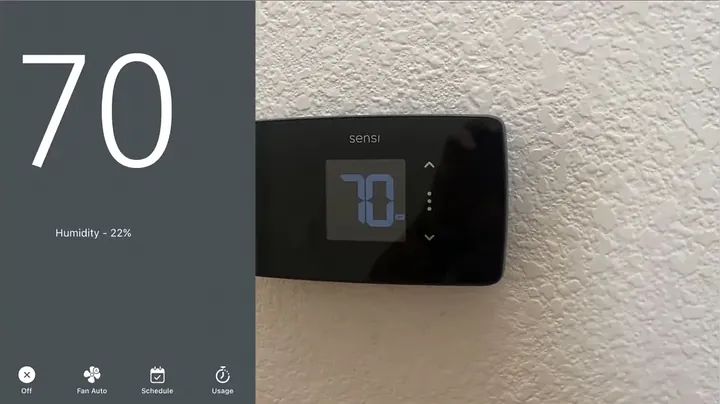
I opened the companion smart home app on my phone and scanned the commissioning QR code provided on the packaging card. I linked the unit to the local 2.4 GHz Wi-Fi network by following the prompts on the screen. Once the network handshake cleared, I worked through the manual relay diagnostic routines in the installer menu. I triggered a call for cooling to verify the outdoor compressor contactor pulled in with cold discharge air at the registers. Next, I switched over to heating mode to verify furnace burner ignition and draft motor cycling. Everything functioned cleanly.
⚠️ CAUTION: SAFETY WARNING!
Safety Protocol: Disconnect electrical supply to furnace or air handler at main breaker panel prior to handling low-voltage cabling. Short-circuiting active 24V AC leads causes immediate failure of the secondary control board fuse or transformer windings.
Summary & Tips
Swapping out an obsolete thermostat for a connected unit is one of the quickest mechanical upgrades in an older house. Taking an extra five minutes to tag every conductor with stickers eliminates confusion when wiring the new base. The built-in spirit level and trim plate concealed the old paint line without requiring sheetrock mud or sanding. The heating and cooling plant is back online and running on automated setpoints.
📋 FAQ
❓ Can I install a smart thermostat without a C-wire?
Feasibility depends on the specific hardware model. Certain thermostats operate exclusively on internal dry-cell batteries or utilize power-sharing circuitry across heating and cooling circuits. Power-stealing methods frequently cause relay chattering, phantom voltage drops, and HVAC equipment short-cycling. Recommended technical solution: install a dedicated 24V common conductor or integrate an approved wire-extender adapter module at the control board.
❓ Why is it important to turn off power for low-voltage wiring?
Equipment protection requirement. Although 24V AC low-voltage control circuits do not present severe shock hazards to personnel, accidental contact between hot conductors (R) and grounded metal or common lines (C) causes immediate component failure. Modern control boards incorporate 3A or 5A automotive blade fuses that trip instantly under direct shorts. Legacy equipment lacking secondary fuse protection will experience catastrophic transformer winding burnout. Power disconnect prevents board damage.
❓ What should I do if my thermostat wire colors don't match the labels?
Standard practice: ignore insulation jacket coloration. Field installations frequently deviate from industry color codes due to non-standard wire inventory during original construction. Terminal assignments must be mapped directly from the stamped alphanumeric letter designations on the original subbase. Identification tags must correspond strictly to the physical terminal connections recorded prior to disassembly.
❓ Why do wires need to be trimmed before insertion?
Short-circuit prevention. Exposed copper extending beyond terminal clamping collars creates cross-contact hazards within compact terminal blocks. Accidental bridging between adjacent exposed leads triggers uncommanded relay energization, heating/cooling overlaps, or equipment lockouts. Conductors must be cut to an exposed strip length of 3/8 inch (9.5 mm) with flush terminal seating.
❓ How do I know if my system uses high voltage instead of 24V?
Wire gauge inspection. Line-voltage systems (120V or 240V, typical in electric baseboard heating) utilize heavy 12 AWG or 14 AWG solid conductors joined with wire nuts. Standard smart thermostats operate exclusively on 24V AC low-voltage Class 2 control circuits. Direct connection of 120V/240V line voltage results in immediate unit destruction and fire hazards.
Disclaimer: All equipment and materials utilized in this technical documentation were procured independently to maintain editorial objectivity. This publication contains affiliate referral links, generating commission compensation upon qualifying purchases without incremental consumer expense.