A simple Lynx Distributor LED fix solves one of the most annoying quirks with Victron Energy gear in mobile and off-grid power systems. Out of the box, the distributor’s fuse status lights remain completely dead unless hooked directly to an expensive Lynx Shunt or BMS module. You don’t actually need to buy that extra gear just to get blown-fuse monitoring. A dedicated power supply harness feeds direct bus voltage right into the internal RJ10 jack to light the board.
⚡ Quick Guide: How to Make It in 8 Steps
- Unbox the Lynx Distributor module cleanly.
- Remove the protective plastic front cover.
- Select the correct system voltage harness.
- Route cable through internal wire channels.
- Seat the RJ10 plug firmly home.
- Lug ring terminals to busbar studs.
- Verify green LED indicators light up.
- Fasten terminal hardware and torque down.
📋 In This Article
- Technical Specifications & Components
- Tools & Materials Used — what you will need for this project
- Unboxing the Lynx Distributor Package
- Removing the Protective Busbar Housing Cover
- Selecting the Voltage-Specific Power Supply Harness
- Routing Wiring into the Lower RJ10 Bay
- Connecting Ring Terminals to Busbar Studs
- Installing MEGA Fuses Across Output Channels
- Verifying LED Status Indications Under Load
- Torquing Hardware and Snapping Cover Closed
- FAQ
📊 Technical Specifications & Components
| Device | Victron Energy Lynx Distributor (M10) 1000 |
| Continuous Current Rating | 1000A DC |
| Busbar Stud Size | M10 |
| Supported Fuse Type | MEGA Fuses (up to 4 circuits) |
| 12V Harness Part Number | V01001000000 |
| 24V to 48V Harness Part Number | V01006000000 |
| Internal Connector Interface | RJ10 (4P4C) data jack |
| Visual Status Indication | Dual-color LED per channel (Green: OK / Red: Blown) |
📊 Project Overview & Costs
🔧 Difficulty Level: Easy
⏱️ Time Investment: DIY: 15 minutes | Pro: 5 minutes
💰 Professional Service Cost: $50 - $75
💡 Verdict: Installing the bypass harness yourself takes a quarter of an hour and saves an hour of shop labor charges.
🛠️ Tools & Materials Used
• Victron Lynx Distributor M10
• Lynx Distributor LED power supply cable 12V (V01001000000)
• Lynx Distributor LED power supply cable 24V-48V (V01006000000)
• MEGA Fuses
Step-by-Step Guide
Unboxing the Lynx Distributor Package
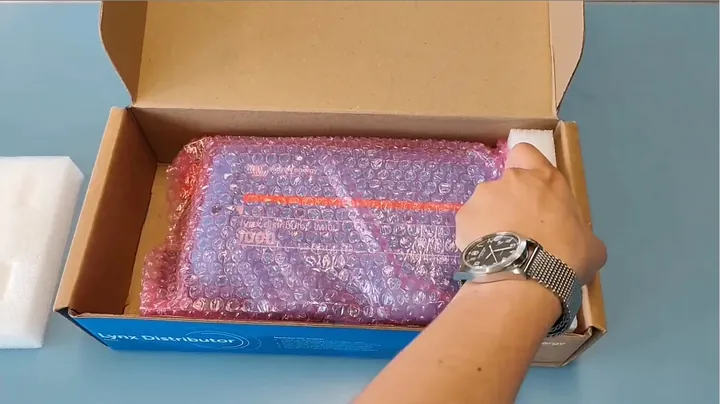
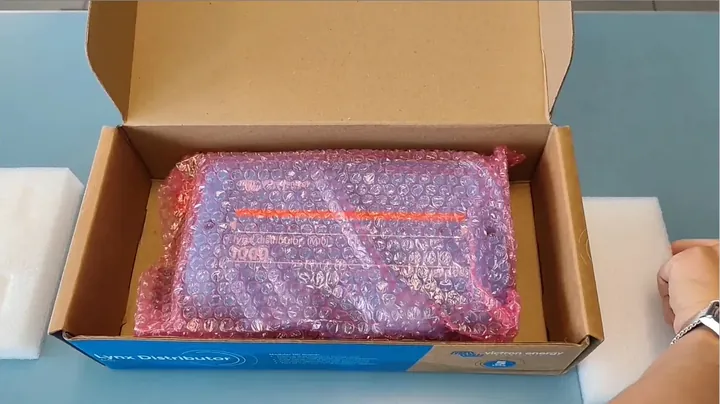
First thing — get the hardware onto the bench and strip off the retail packaging. Inside the cardboard box sits the bare Victron Lynx Distributor assembly alongside its instruction leaflet and factory hardware. Right from the factory, these modular busbars are built to stack alongside modular Lynx Shunts and BMS units. If you run a standalone setup without those extras, the built-in PCB never gets DC power. It's dead. Most people assume the LEDs work straight off battery studs, but that RJ10 jack tucked underneath needs a dedicated DC feed. Take everything out of the carton and set the distributor flat on a clean rubber mat.
Removing the Protective Busbar Housing Cover
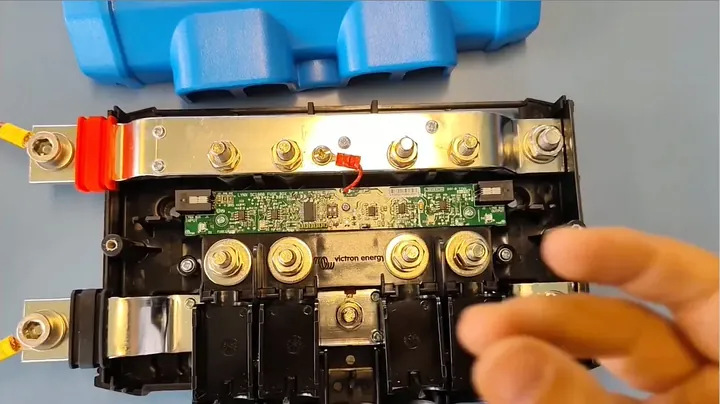
Loosen the two captive thumb screws holding the black plastic front shell to the main chassis. Lift the cover straight up to expose the massive solid copper busbars and the four distinct MEGA fuse locations. The plastic shield gives you access to both the positive and negative bus rails alongside the lower electronics bay. No surprises here. Everything inside is built heavy-duty for handling hundreds of battery amps without breaking a sweat. Give the bare terminals a quick inspection for factory burrs or scratches. Set the cover off to the side so you don't crack the tabs while wrenching.
Selecting the Voltage-Specific Power Supply Harness
Here's the deal on powering that indicator board: you have to match the cable harness to your system voltage. Pick either the 12V harness marked V01001000000 or grab the wide-range 24V-to-48V cable labeled V01006000000. Don't mix these up. The 12V version routes raw battery potential through an inline fuse, whereas the 24V-48V harness carries a step-down buck circuit molded inline to protect the low-voltage electronics. Feeding 52 volts straight into a 12V board will fry the monitoring chips in a heartbeat. Check your battery bank's nominal voltage twice with a meter before you open the cable pack. Match the parts right.
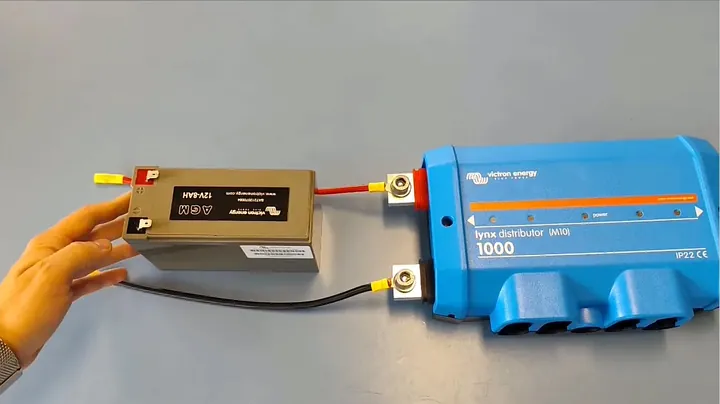
Routing Wiring into the Lower RJ10 Bay
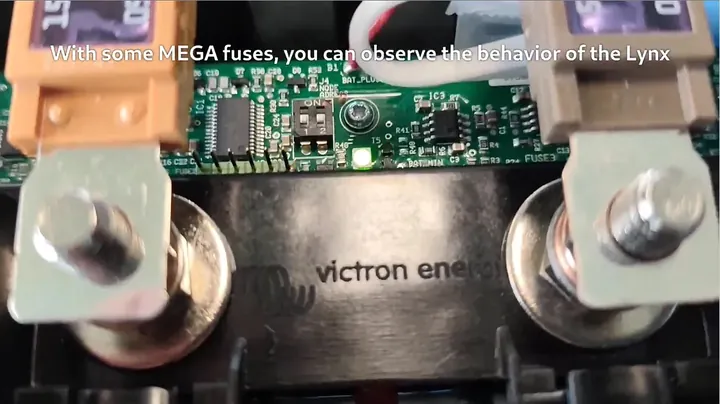
Look inside the distributor's center passage right below the positive busbar. You'll spot the tiny green PCB equipped with an RJ10 data port normally intended for an umbilical connection to a Lynx Shunt. Feed the harness wires cleanly through the molded plastic channels to keep them clear of the high-amperage copper bars. That part matters. You don't want a stray wire rubbing against a 500-amp busbar under vibration. Press the modular RJ10 connector firmly into the matching port on the board. Listen for the distinct plastic click so you know the latch is fully seated in the receiver. Keep the excess wire slack organized inside the integrated wiring paths.
Connecting Ring Terminals to Busbar Studs
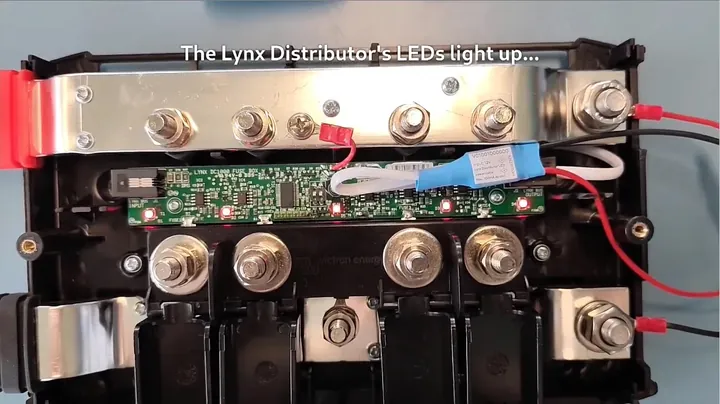
Now run the positive and negative ring lugs from the harness directly to the primary power studs. Red wire lands on the main positive feed, and the black wire goes onto the main negative ground bar. It's solid. Because the cable harness contains built-in circuit protection, you don't have to bodge in an ugly external fuse holder. Make sure the ring terminal sits flush against the copper face before slipping on your main cable lugs. Avoid stacking small indicator lugs between high-current battery connections where they could cause resistive heating. Snug the hardware hand-tight for initial checks.
Installing MEGA Fuses Across Output Channels
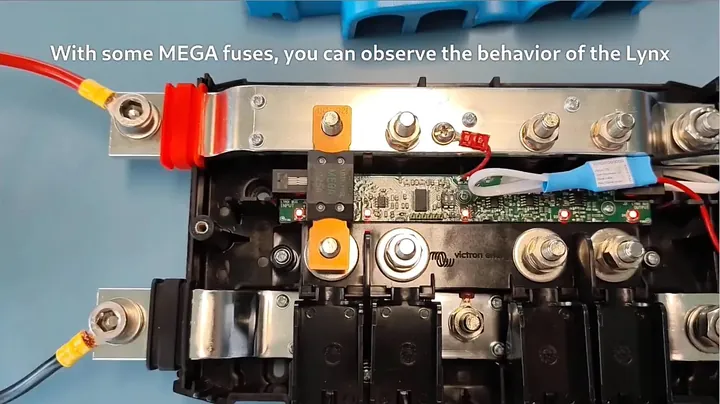
Drop your required MEGA fuses across the four individual circuit output studs on the positive bar. Each slot holds an M8 fastener setup specifically designed for standard automotive bolt-down fuses. Fasten the nuts over the fuse tabs just enough to seat the metal flat against the bus. The PCB detects fuse integrity by sensing voltage drop across the input and output sides of each fuse post. If a fuse is intact, current bridges the connection and keeps the logic board happy. If you leave a channel open without a fuse, the board senses an open circuit. Works every time.
Verifying LED Status Indications Under Load
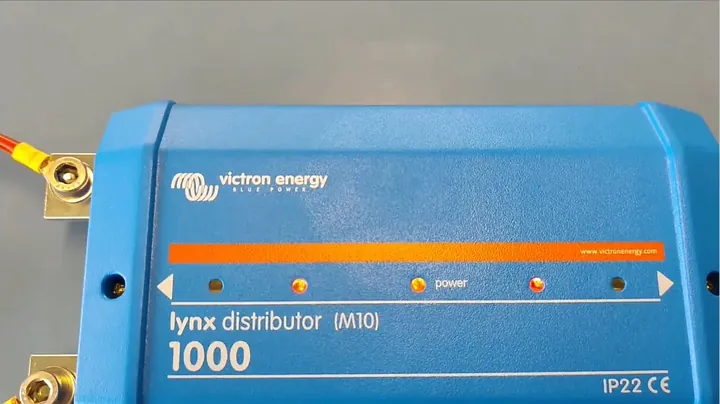
Flip on your battery isolator to energize the main bus and inspect the status LEDs through the center channel. All active channels holding healthy MEGA fuses should instantly illuminate with solid green lights. If a circuit blows or a fuse is missing, that specific channel snaps to a bright warning red. Setup is instant. If you get no lights at all, grab your digital multimeter and verify that your harness is delivering steady DC voltage into the plug. Watch for reverse polarity immediately. When all four green channels glow steady, the internal monitoring circuit is doing exactly what Victron intended.
Torquing Hardware and Snapping Cover Closed
Grab a calibrated torque wrench and tighten every M10 and M8 nut to factory mechanical specs. Busbar hardware needs proper clamping force to prevent micro-arcing and heat spikes under massive inverter draws. Once the metalwork is torqued, route your harness lead neatly through the lower rubber grommets and snap the black protective cover down. Tighten the two front thumb screws until snug against the housing. The LED status lights show through the translucent window on the front shell. Back in business. You now have a fully operational blown-fuse monitor running clean without buying extra hardware you don't need.
⚠️ CAUTION: SAFETY WARNING!
Disconnect main battery banks and verify busbars are zero volts with a multimeter before touching internal terminals. High-amperage DC battery systems carry extreme arc-flash and fire hazards if an uninsulated wrench bridges positive and negative busbars.
Summary & Tips
Powering the Lynx Distributor status board doesn't require an overpriced upstream shunt module when all you need is fuse monitoring. Matching the correct voltage harness keeps the delicate LEDs from burning out while providing instant visual confirmation of circuit health. The entire retrofit takes just a few minutes with basic hand tools right at the battery bank. Your DC distribution panel is safer, cleaner, and ready for work.
📋 FAQ
❓ Why don't the Lynx Distributor LEDs light up right out of the box?
Victron designed the bare Lynx Distributor as an unpowered slave device meant to mate with a Lynx Shunt or Lynx Smart BMS. Without that upstream module sending power through the RJ10 jack, the internal circuit board gets zero DC feed. It's completely inert until you power that plug directly. Adding an aftermarket bypass harness supplies the board with power straight from the busbars.
❓ Can I use the 12V power supply cable on a 24V or 48V battery bank?
Nah, you can't do that. The 12V cable passes line voltage straight into the RJ10 plug with basic fuse protection. Hitting the 12V board with 24 or 48 volts blows the monitoring chips instantly. You must buy the dedicated 24V-48V version because it includes a DC-DC buck converter to drop the line voltage safely down to board operating levels.
❓ What happens to the LED when a MEGA fuse blows?
The channel snaps from green to bright red instantly. The circuit board compares voltage levels across the line and load sides of each fuse terminal. As long as the fuse link is intact, the status light glows solid green. The moment the link pops and voltage drops on the load terminal, the LED switches to red to show a faulted circuit.
❓ Do empty fuse slots show a red fault light?
Yeah, an open slot behaves exactly like a blown fuse. Because there is no continuity bridging the positive busbar to the output stud, the board reads an open circuit. If you leave a channel unpopulated, you can expect that LED to stay red or remain unlit depending on board revision. If that bothers you, populate only active circuits or leave the status light ignored.
❓ Where does the RJ10 connector plug into the Lynx Distributor?
Look right below the positive busbar inside the lower wire raceway. The small printed circuit board sits mounted to the chassis with an RJ10 socket facing toward the bottom edge. It can be tricky to spot if wires are cluttered, but sliding the protective cover off reveals the jack immediately. The harness plug snaps straight into that port.
Disclaimer: I purchased all tools for this guide with my own money to ensure an unbiased review. This post contains affiliate links, meaning I earn a small commission if you make a purchase at no extra cost to you.