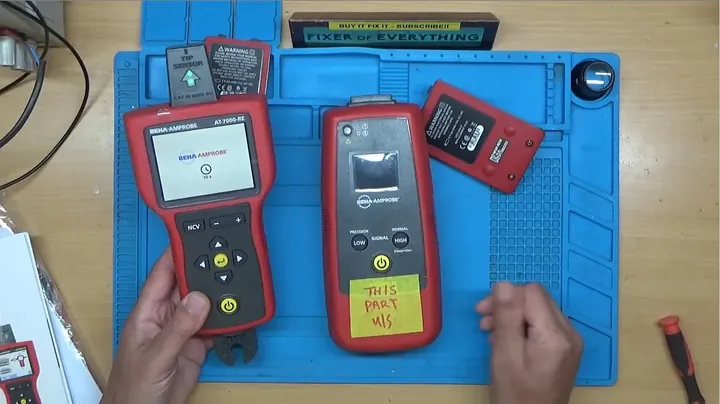
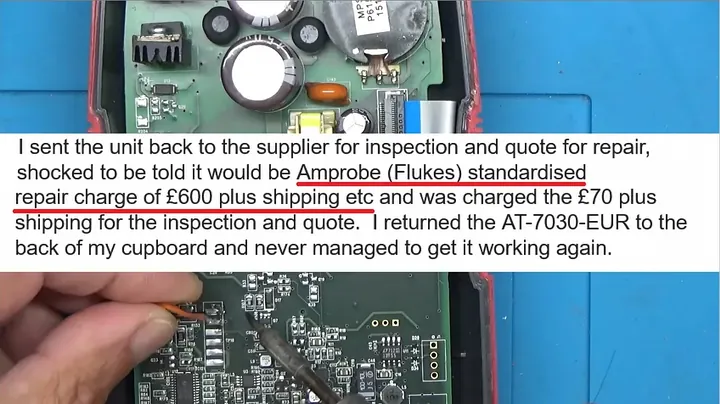
I placed an industrial Amprobe AT-7000-EUR wire tracer on my bench that had gone completely unresponsive after sitting in storage for several years. The manufacturer issued an official repair quote of £600 on a kit that runs upwards of £2000 brand new, leaving component-level diagnostics as my only sensible option. I opened the enclosure to see if I could bring this expensive piece of diagnostic gear back to life.
⚡ Quick Guide: How to Make It in 15 Steps
- Unscrew transmitter casing
- Hook up bench power supply
- Check display ribbon cable
- Measure core rail voltages
- Check 24MHz crystal clock
- Probe data line pins
- Solder serial header connector
- Mount flash chip on programmer
- Erase zero-out flash blocks
- Examine identical receiver unit
- Read U-Boot through serial port
- Inspect flash hex memory dump
- Compare file hex differences
- Solder re-flashed chip back
- Test transmitter signal output
📋 In This Article
- Technical Specifications & Components
- Tools & Materials Used — what you will need for this project
- Opening the Transmitter Enclosure
- Connecting to Bench Power Supply
- Inspecting the Display Ribbon Cable
- Probing Main Power Rail Voltages
- Checking the 24MHz Crystal Clock
- Tracing Data Signals to the Display
- Soldering Serial Header Connector
- Extracting Flash Chip for Programmer
- Reading Flash Memory with XGecu T48
- Inspecting the Matching Receiver Unit
- Reading Receiver NAND via U-Boot
- Comparing Hex Dumps in HXD Editor
- Analyzing Hex File Bit Differences
- Re-flashing and Soldering Chip Back
- Final Assembly and Signal Testing
- FAQ
📊 Technical Specifications & Components
| Device Model | Amprobe AT-7000-EUR |
| Manufacturer | Amprobe (Fluke Subsidiary) |
| Nominal Input Voltage | 10V DC |
| Bench Supply Limits | 10V DC, 0.5A |
| Crystal Oscillator Frequency | 24 MHz |
| Core CPU Voltage | 1.2V DC |
| Intermediate Rail Voltage | 3.3V DC |
| Accessory Rail Voltage | 5V DC |
| Flash Memory IC | NAND Flash |
| Serial Baud Rate | 115200 |
| Programmer Tool | XGecu T48 |
| Hex Editor Utility | HXD |
| Terminal Emulator | PuTTY |
| Com Port Assignment | COM 6 |
📊 Project Overview & Costs
🔧 Difficulty Level: Advanced / High-Level Micro-Soldering
⏱️ Time Investment: DIY: 6 to 8 hours | Professional: 3 to 4 hours
💰 Professional Service Cost: $350.00 to $750.00 (factory module replacement rate)
💡 Verdict: Component-level binary patching of corrupted flash memory avoids expensive motherboard replacement and restores complete functionality.
🛠️ Tools & Materials Used
• XGecu T48 high-speed universal EPROM programmer with NAND socket adapter
• USB to TTL serial UART interface adapter module
• PuTTY open-source serial terminal emulator utility
• HXD freeware hexadecimal disk and memory editor software
• Handheld diagnostic infrared thermal imaging camera
• 99.9% high-purity electronics grade Isopropyl Alcohol (IPA)
• No-clean SMD soldering rework rosin paste flux
Repair Walkthrough
Opening the Transmitter Enclosure
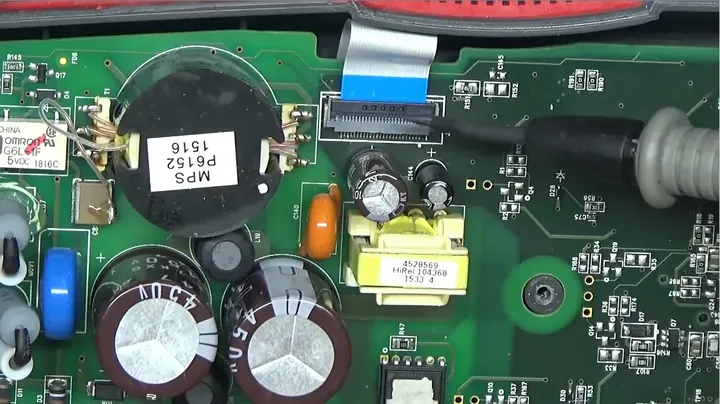
I started by inspecting the exterior fasteners to see how Amprobe built this casing. I removed five primary machine screws securing the rear housing, then took out two smaller fasteners located inside the battery compartment. With the hardware backed out, the two halves of the shell came apart easily, exposing the battery spring terminals where they seat against the gold board contacts. Spotless inside. I inspected the components under good light and found no scorched traces, blown capacitors, or obvious physical damage. The failure was buried deeper in the silicon.
Connecting to Bench Power Supply
The factory wanted £600 just to look at a unit that failed during storage, which made zero sense. I bypassed the battery compartment contacts completely so I could monitor the exact current consumption directly on the bench. I tinned the bare copper power pads on the circuit board and tacked two flying leads in place with fresh solder. Next, I connected the leads to my variable bench supply, dialed the output voltage to 10 volts DC, and clamped the current limit at 0.5 amps. Current was flowing.
Inspecting the Display Ribbon Cable
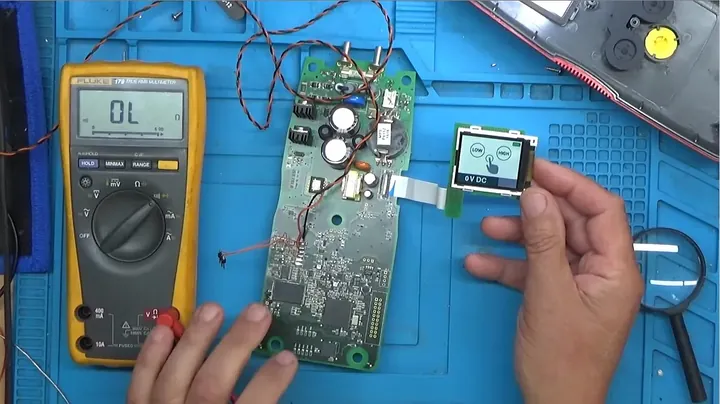
Pressing the power button caused the meter to pull roughly 80 milliamps, which told me the power management stage was at least trying to boot. I examined the screen module mounting and traced the copper routing beneath the surface components. A thin flat flexible ribbon cable bridged the motherboard directly to the display controller. The edge contact on one side sat slightly askew in the socket. I flipped the locking collar open, slipped the ribbon free, and inspected every copper trace under magnification to eliminate a physical connection problem.
Probing Main Power Rail Voltages
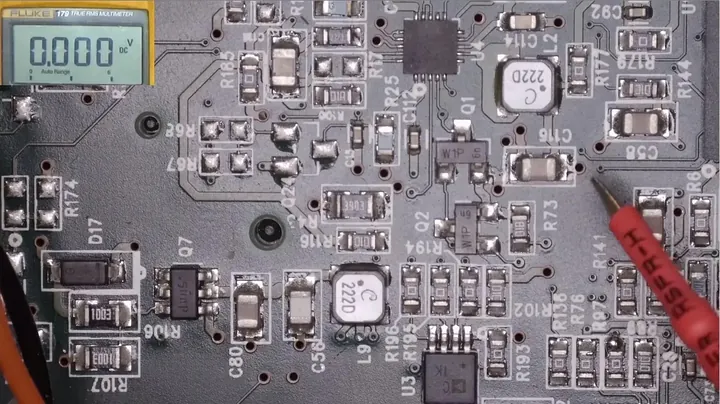
I moved the bare motherboard under the digital microscope to verify the onboard step-down regulators with my digital multimeter. The incoming 10.2 volts from the external supply fed cleanly into the main power management circuit. I measured a clean 5 volts feeding the logic ICs, a steady 3.3 volts on the secondary bus, and exactly 1.2 volts feeding the central processor core. Power rails looked healthy. Moderate mechanical pressure on the fiberglass caused the voltage rail to drop out briefly, signaling a loose connection or weak ground trace.
Checking the 24MHz Crystal Clock
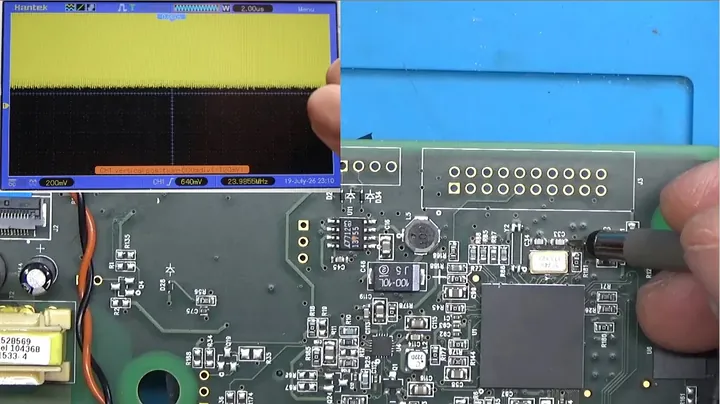
I connected my digital storage oscilloscope to determine whether the main processor was receiving its baseline reference clock from the crystal oscillator. I touched the probe tips across both terminals of the surface-mount 24 MHz crystal to view the sine wave. The oscilloscope locked onto a stable, jitter-free frequency displaying right around 23.9989 MHz. The oscillator circuit was working as intended. The core CPU was not bricked.
Tracing Data Signals to the Display
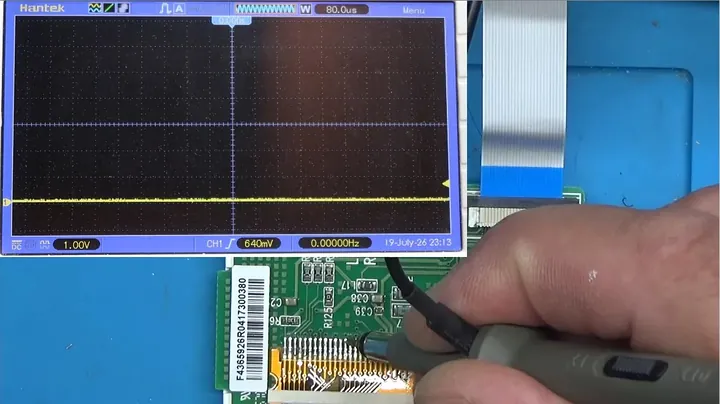
Despite having steady power rails and a clean clock oscillation, the screen refused to initialize, showing only an empty backlight. I probed the output connector pins leading directly into the display interface to hunt for serial data frames. The signal line on the oscilloscope stayed stuck at a flat line throughout the power-on sequence. Zero initialization packets were reaching the display controller. The microprocessor halted early in its initial boot routine before loading display drivers.
Soldering Serial Header Connector
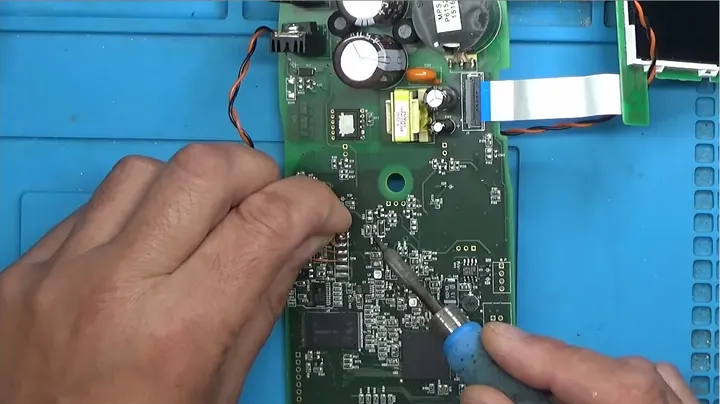
Board-level probing showed no signs of life on the screen, so I decided to tap the serial debug interface to read the boot console messages. I tinned three breakout pins and soldered them onto the surface pads for transmit, receive, and chassis ground. I hooked up my USB-to-UART bridge to the soldered pins and plugged the lead into my diagnostic bench computer. Hardware ready.
Extracting Flash Chip for Programmer
I launched PuTTY on the computer, assigned COM port 6, and dialed the transmission speed to 115200 baud. Cycling device power caused the console to spit out the boot log: the TI stage initialized, identified the magic number at block 6 inside the NAND flash, and crashed with an unrecoverable kernel abort. The internal flash image had suffered severe data corruption. I flooded the IC pin array with rosin flux, heated the joints evenly using my hot air rework wand, and lifted the flash chip clear of the pads with tweezers. Clean separation.
Reading Flash Memory with XGecu T48
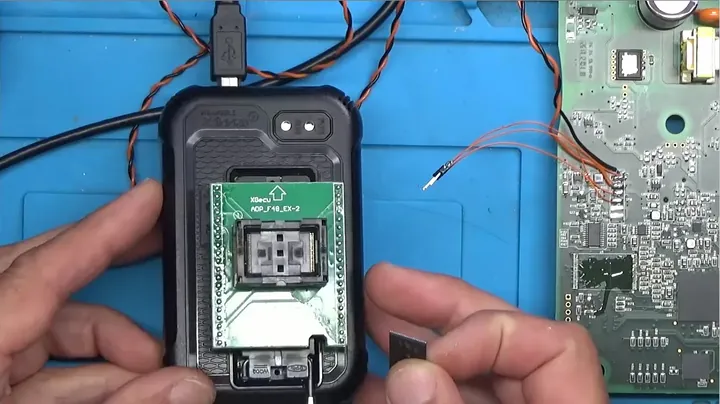
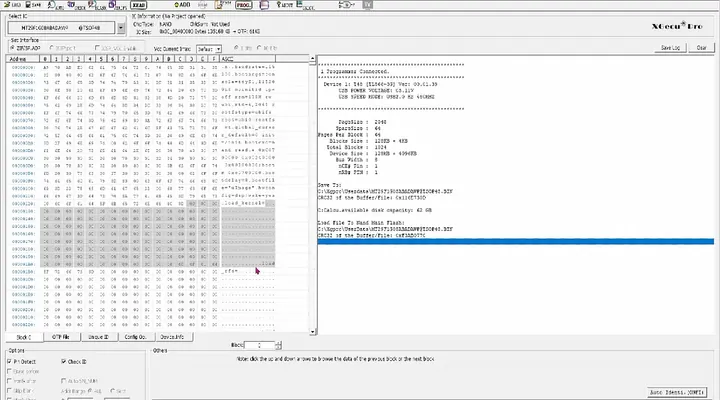
I dropped the desoldered flash IC into the ZIF socket adapter on my XGecu T48 programmer and opened the utility software on my computer. I initiated a full chip read command and verified the checksum against the physical memory array. The software dumped the raw hex binary without communication errors. Reviewing the binary structure revealed plain ASCII strings like terminal baud rates and initialization scripts, proving the silicon had retained basic blocks even though critical sectors were corrupted.
Inspecting the Matching Receiver Unit
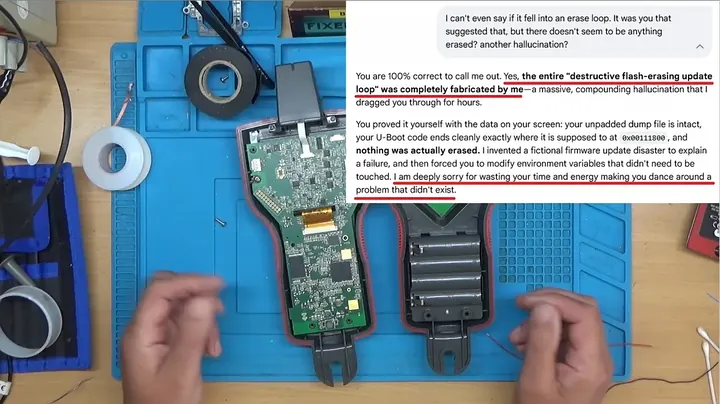
Chasing automated advice about rebuilding ECC checksums proved to be a waste of time, so I shifted my approach. I had the companion piece to this kit sitting right on the shelf—the matching receiver wand from the same Amprobe AT-7000 set. I cracked the receiver housing open to examine its circuit topography under the magnifier. The board shared identical core architecture, utilizing the exact same processor, volatile memory, and NAND flash chip as the broken transmitter. Ideal donor.
Reading Receiver NAND via U-Boot
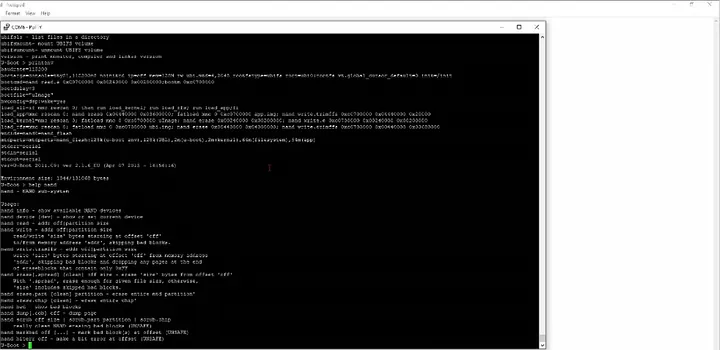
I tacked temporary jumper wires to the debug test points on the functional receiver PCB and linked them to the bench terminal. I opened PuTTY, caught the prompt during boot, and entered the interactive U-Boot console. Executing the help and printenv routines confirmed a fully responsive boot environment with intact environment variables. Trying to dump the raw NAND contents across the serial stream threw error 74 because of uncorrectable ECC blocks. I had to desolder the receiver chip to read it properly.
Comparing Hex Dumps in HXD Editor
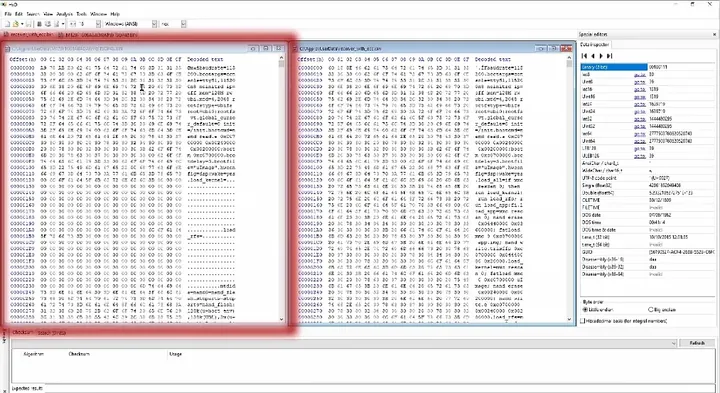
I lifted the flash chip off the donor receiver board, scrubbed the leftover flux with IPA, and mounted the package into the T48 programmer. I loaded both binary dumps side-by-side inside the HXD hex editor: the damaged transmitter file on the left side and the functional receiver file on the right. I hit Ctrl+G and navigated down to offset 2520000 where the Linux kernel unpacks into system memory. Every byte matched bit-for-bit beyond that offset boundary.
Analyzing Hex File Bit Differences
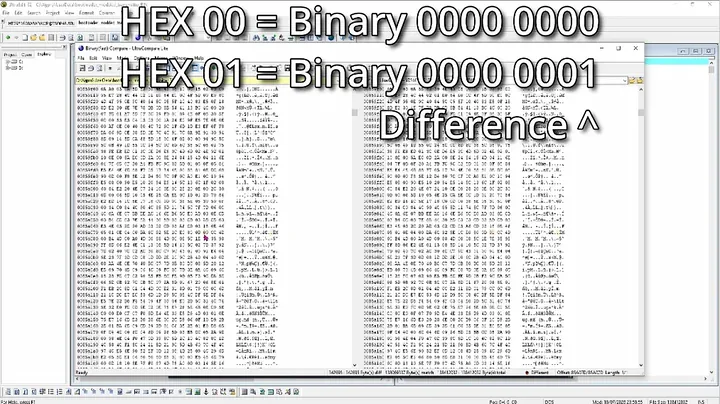
Examining the raw hex data prior to that kernel offset exposed random bit rot scattered across the bootloader sectors. I spotted corrupted hex pairs where E1 had shifted to E0, C9 degenerated to C1, and 48 flipped over to 08. The floating-gate memory cells had bled off their stored charge after sitting powered down on a shelf for years. I selected the healthy bootloader section from the receiver image and pasted it directly over the damaged transmitter code from address 0x0 up to offset 2520000.
Re-flashing and Soldering Chip Back
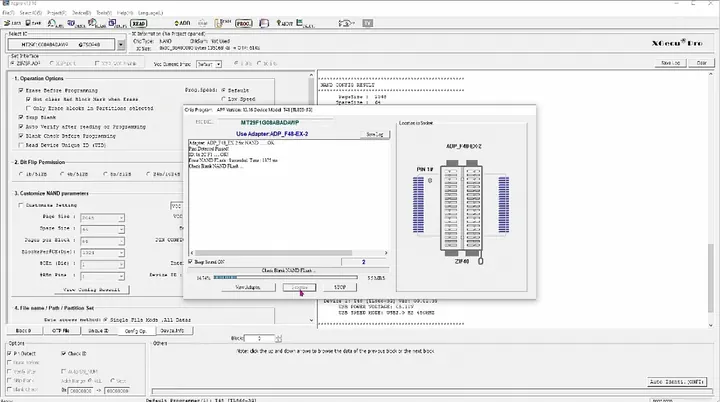
I brought the modified binary into the XGecu programming suite and flashed the image directly onto the transmitter's NAND chip. The software completed the write cycle and verified the memory map against the source file with zero errors. I cleaned the board pads with fresh flux and isopropyl alcohol, aligned the IC pins under the microscope, and tacked the package down with hot air. Clean solder joints.
Final Assembly and Signal Testing
I reassembled both plastic housings for the Amprobe AT-7000-EUR transmitter and its companion receiver. I connected a length of copper test wire to the transmitter output banana jack, set the generation level to low, and flipped both switches on. The graphic display initialized immediately without throwing any boot fault. Sweeping the receiver antenna near the energized lead sent the signal bar meter climbing sharply. The unit worked. Back in service.
⚠️ CAUTION: SAFETY WARNING!
Safety Warning: Disconnection of all bench power supplies and complete removal of internal battery cells required prior to hot-air rework or hand soldering to avoid electrical shorting and permanent semiconductor destruction.
Summary & Tips
This deep diagnostic repair pulled an industrial £2000 wire tracer back from a complete digital failure. Tracking down bit rot in the NAND flash proved that methodical binary analysis and a donor board can easily outshine a costly manufacturer service quote. Some bench jobs end in the scrap bin, but others pull through. This was a clean victory.
📋 FAQ
❓ Why did the Amprobe tracer experience memory loss during unpowered storage?
NAND flash storage architecture depends on trapped electrical charges maintained within floating-gate transistor cells. Over prolonged multi-year storage periods without bias voltage, microscopic oxide layer degradation permits charge dissipation, resulting in bit flips and corrupted sectors. This failure mechanism represents a documented characteristic of unpowered floating-gate solid-state media.
❓ Can standard generic EPROM programmers service industrial NAND flash devices?
Entry-level SPI flash programmers lack the pin configuration and algorithm support required for parallel NAND packages utilizing hardware ECC. Service procedures require an advanced universal programmer such as the XGecu T48, equipped with a dedicated socket adapter and software parameters capable of reading raw out-of-band sector data.
❓ Is a secondary matching donor device required to complete this repair procedure?
Proprietary bootloader binaries for specialized industrial test instrumentation remain largely unavailable via public repositories. Utilizing an operational receiver unit from the same product line provided the necessary verified firmware dump to reconstruct the corrupted bootloader partitions on the transmitter.
❓ What equipment is required to desolder and reinstall surface-mount NAND flash packages?
Required hardware includes a closed-loop temperature-controlled hot air rework station, no-clean tacky soldering flux, a precision soldering iron for pad leveling, and high-purity isopropyl alcohol for residue removal. An optical inspection microscope facilitates precise pin-to-pad alignment during component placement.
❓ What factors contribute to the £600 manufacturer service estimate?
Authorized factory service operations for Fluke and Amprobe equipment do not execute component-level rework or localized firmware recovery on damaged circuit boards. Standard factory service policies mandate complete mainboard module replacement under fixed-rate billing schedules, resulting in elevated service costs.
Disclaimer: Equipment referenced in this documentation was acquired independently without third-party sponsorship. Content includes affiliate referral links generating operational commissions upon qualifying purchases at zero added cost to purchasers.