Installing a Sterling DC-DC charger is a crucial upgrade for keeping your auxiliary batteries charged directly from your vehicle’s alternator. This unit is a critical piece of any serious RV or trailer electrical system, ensuring your house battery stays topped off from the alternator. We’re talking models from 10 amps up to a hefty 200 amps for various setups. It’s a workhorse.
⚡ Quick Guide: How to Make It in 10 Steps
- Understand Sterling DC-DC charger features.
- Consider remote control for custom settings.
- Gather essential installation kit components.
- Run primary power wires and crimp terminals.
- Connect output wires to lithium battery.
- Adhere to ABYC wiring and fuse standards.
- Organize wiring with conduit and labels.
- Configure battery type and test charging.
- Troubleshoot low input voltage issues.
- Test bidirectional charging and wrap up.
📋 In This Article
- Technical Specifications & Components
- Tools & Materials Used — what you will need for this project
- Understanding Sterling DC-DC Charger Features
- Considering Remote Control Options
- Overview of the Installation Kit Components
- Running Main Power Wires to the Charger
- Connecting Output Wires to the Lithium Battery
- Adhering to ABYC Electrical Best Practices
- Organizing Wiring with Terminals and Conduit
- Programming Battery Profile and Testing Charging
- Troubleshooting Low Input Voltage Issues
- Final Checks, Bidirectional Charging, and Wrap-up
- FAQ
📊 Technical Specifications & Components
| Sterling DC-DC Charger Amperage Range | 10A to 200A |
| Sterling DC-DC Charger Voltage Range | 12V to 48V (input/output specific) |
| Sterling DC-DC Charger Bidirectional | Yes (service to starter battery) |
| Sterling DC-DC Charger Cooling | Built-in fan |
| Sterling DC-DC Charger Battery Profile Change | Front panel button |
| Sterling DC-DC Charger Bluetooth | No (remote optional) |
| Input Switch Brand | Aegis |
| Input Switch Waterproof | Yes |
| Input Switch Wrench Size | 11mm |
| RV Kit Wire Length | 25 feet (red and black) |
| Trailer Kit Wire Length | 50 feet (red and black) |
| Ignition Signal Wire Gauge | 18 AWG (recommended for long lines > 25 feet) |
| Installation Example | 70-amp Sterling motorhome kit |
📊 Project Overview & Costs
🔧 Difficulty Level: Medium
⏱️ Time Investment: DIY: 4-8 hours | Pro: 2-4 hours
💰 Professional Service Cost: $400 - $800
💡 Verdict: Doing it yourself saves a good chunk of change, easily covering the cost of the charger itself.
🛠️ Tools & Materials Used
• Sterling DC-DC charger
• Input switch
• Fuse holder
• Red and black wire
• Pin terminals
• Anderson connectors
• Heat shrink
• Split crimp
• Stainless steel screws
• Fuse splitter kit
• 18 AWG wire
• Crimping tool
• Wire cutters
• Split corrugated pipe
• Labeling gun
• DC clamp meter
Step-by-Step Guide
Understanding Sterling DC-DC Charger Features
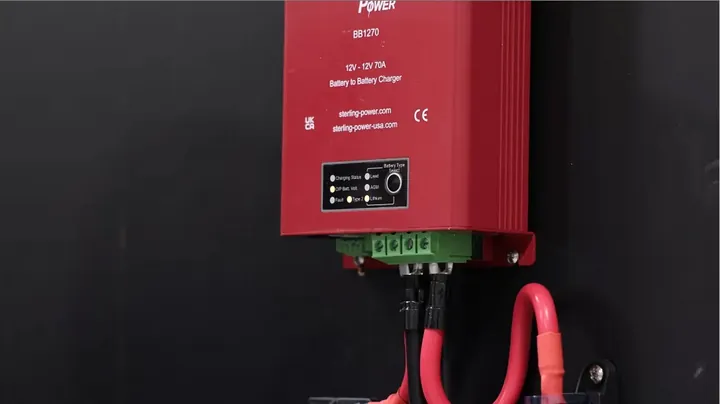
First thing, we're looking at a Sterling DC-DC charger. These things come in a wide range, from a small 10-amp model all the way up to a beefy 200-amp unit, handling voltages from 12V to 48V. You gotta pick the right model for your setup; a 12V starter and a 48V service battery needs a specific 12V to 48V charger, not some multi-voltage gadget. One of the best features is that it's bidirectional. That's huge. If your service battery's topped off, say from solar, this unit automatically starts charging your starter battery in reverse.
It's a lifesaver for folks who leave their rigs parked for a while, keeping that starting battery fresh. It also has a manual start-up assistance function; hit the button four times, and it'll juice up your starter battery to help crank the engine. Another major plus over some competitors, like the Victron Orion 50A, is the built-in fan. We've had to adapt other units for cooling, but the Sterling just runs cool right out of the box. No surprises here. You can even change the battery profile, like for lithium or lead-acid, right from the front panel button, though it doesn't have that fancy Bluetooth interface Victron offers.
Considering Remote Control Options
Now, about that lack of Bluetooth. That's one of the drawbacks with the Sterling, compared to Victron. But you can always get a remote if you need custom voltage settings for some specific, oddball battery type beyond the standard lithium or lead-acid profiles. You can also use that remote to dial back the charging current. We almost never use this, but in rare cases, if a client's got a weak generator now but plans an upgrade later, they can temporarily reduce the power. The good news is, if your generator's too small, the charger usually figures it out and automatically cuts back the power. Still, if you want a permanent hard limit on the current drawn from the generator or through existing wiring that might be a bit undersized, that remote is the way to go.
Overview of the Installation Kit Components
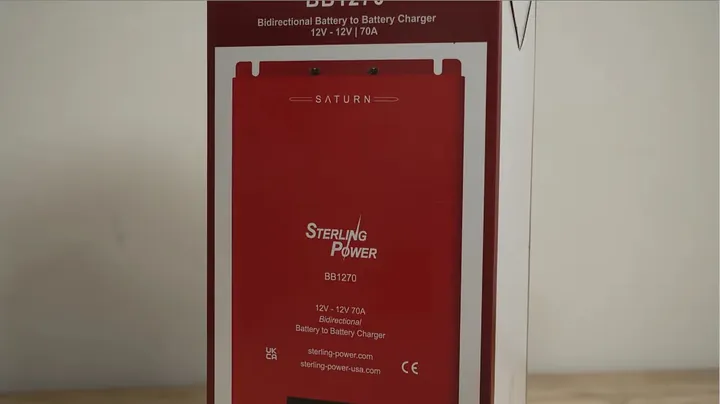
Honestly, the hardest part of installing a DC-DC charger is usually figuring out the right wire size, fuse rating, and all the other bits and pieces. To make life easier, we put together kits that contain everything you'll need. Whether it's an Orion for a Class A, B, or C motorhome, or a Sterling for a trailer or van, we've got a kit for it. They include the DC-DC charger itself, an input switch for the starter battery, a fuse for the house battery output, and a fuse holder if you aren't running a Lynx distributor. We throw in 25 feet of red and black wire for RV kits, and 50 feet for trailers. Pin terminals are there too.
Trailer kits also get Anderson connectors – both flush mount and plastic housings for the power cables, heat shrink, split crimp connectors, cable clamps, stainless steel screws, and a fuse splitter kit. We also include 18 AWG wire for the ignition signal, just in case. We recommend using that ignition signal with Sterling if your wire runs are longer than 25 feet. The Sterling units are more sensitive to voltage drop and have fewer settings to adjust for it than the Victron Orion, so with longer runs, you're likely gonna need that ignition signal. We include it regardless of length, just to be safe.
Running Main Power Wires to the Charger
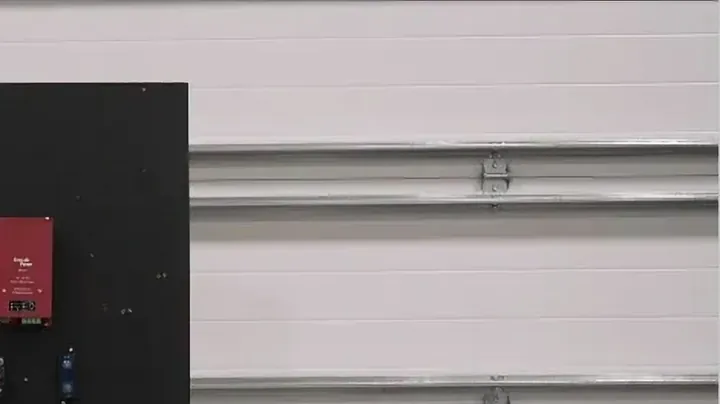
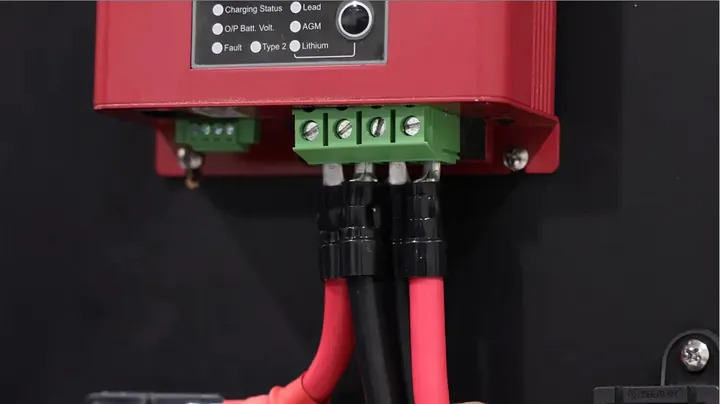
Today, we're putting in a 70-amp Sterling motorhome kit. First thing, run the positive and negative wires from the starter battery to the input switch, and then on to the Sterling unit. That input switch should be as close to the starter battery as possible. Usually, that means the engine compartment. Or, if you've got a Ford Transit or Sprinter van, it'll be under the seat or under your feet. To crimp those pin terminals, we place the terminal on the wire and figure out how much insulation to strip. You want to strip it down to about the size of a fingernail. This ensures the ferrule is fully covered but still leaves a little insulation at the base. Pull the wire. Make sure it's holding firmly. Loosen the connector on the terminal block, insert the pin, and tighten it down. That's the whole trick.
Connecting Output Wires to the Lithium Battery
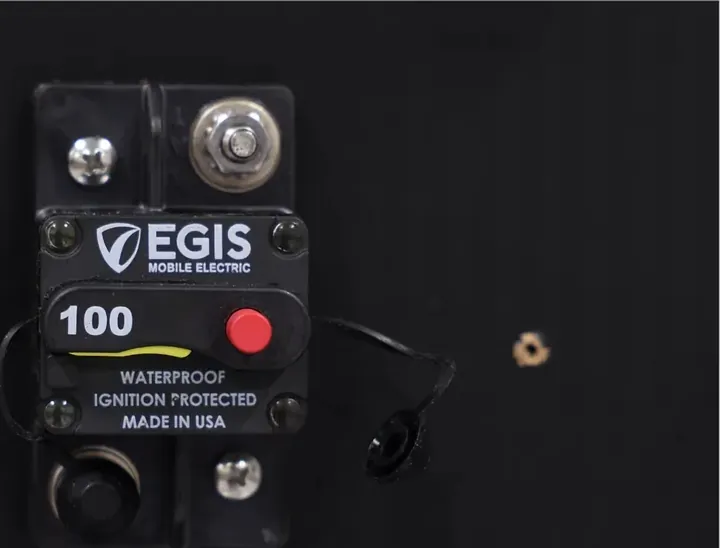
The input switch we're using is from Aegis. It's waterproof, so you can stick it in the engine compartment or even under the vehicle if you have to. It takes an 11mm wrench to tighten the terminals. Make sure you do this installation with the switch in the OFF position. If you see a yellow flag, it's off. If it's on, just press that red button to kill the power. Now, we'll repeat the same process, running the positive and negative cables from the Sterling's output to the lithium house battery. Don't use those blue and gray wires for high current runs; they're usually too small. Almost any other color will do, but red and black are standard. This connection is critical.
Adhering to ABYC Electrical Best Practices
While installing the last positive wire between the Mega fuse and the Sterling, you might notice a difference in fuse sizes. The input circuit breaker is often smaller than the output fuse. We do this because we stick to ABYC standards. The input switch protects the wire that usually runs through the engine compartment, which is often a long run and more susceptible to damage. In that case, you need a smaller circuit breaker to protect that specific wire. Now, on the output side, we could use a 100-amp fuse, but I prefer to go with the largest size fuse and circuit breaker that still adequately protects the wire.
The reason is that these DC-DC chargers are pretty sensitive to voltage drop. The closer the switch rating is to the actual current draw, the greater the voltage drop in that circuit. So, if the charger is pulling 70 amps and I've got an 80-amp breaker, that's technically acceptable, but it'll create additional resistance in the circuit. I wouldn't recommend doing that if you can avoid it. We want to select the highest possible rating for our switches and fuses, while still ensuring wire protection. We'll link to the ABYC and Blue Sea Systems tables in the description; that's where we get our wire and fuse parameters for these kits. Voltage drop matters.
Organizing Wiring with Terminals and Conduit
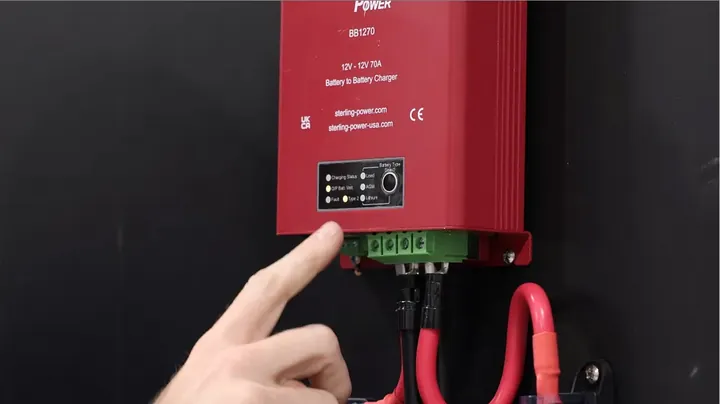
One more point while I'm pushing in that last pin terminal: it's pretty tight on these input terminals, but I positioned the pin terminals in opposite directions. So one terminal faces the wall, and the next one faces me. This is what lets me get all four connections in there. If I tried using bare wire, it'd just come loose and I wouldn't be able to get it in neatly anyway. This method, while not absolutely perfect, is definitely the best way to minimize drag and ensure a solid connection.
It also avoids running fourth-gauge wire to a small busbar and then dropping down to sixth-gauge wire right before the device. We've done that before, and it just adds extra steps and more equipment. I prefer pin terminals. At this point, you can start organizing the wires. Cover them with split corrugated pipe, install cable clamps for strain relief, and if you have a labeling gun, tag those starter and lithium battery wires. That way, you won't disconnect or mix them up during future maintenance. It's especially important to cover any wires running outside your vehicle with that split corrugation. Inside, it's not as critical, unless a wire might rub on something sharp, but under the car, that corrugation is definitely necessary. It's solid.
Programming Battery Profile and Testing Charging
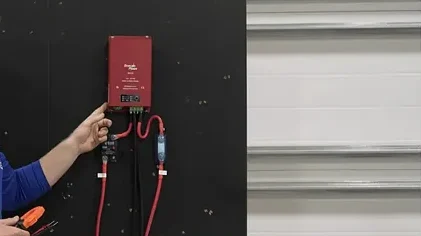
The next thing we'll do is power up the device. Make sure the car engine isn't running for this part. We need to configure it to tell it we're using lithium batteries. This is where you'd use the remote if you had a custom settings profile you wanted to input. Today, I'm just using the built-in button. Press and hold it for about 7 seconds until the battery type starts flashing. Then, you can press it again to cycle through the battery types until you hit 'lithium type two'. Just wait a bit, and the setting will be accepted.
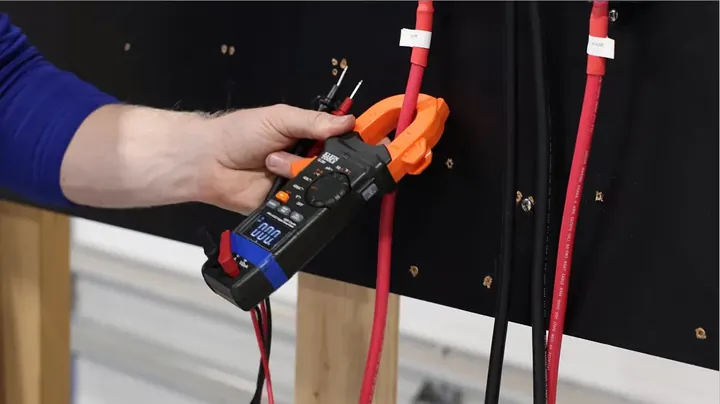
If I turn the device off and back on, you'll see 'lithium type two' is selected when I press the button. Setup is instant. After a short while, the screen will go blank. Now, it's time to start the car engine to test the device. Once the engine kicks on, you should see the charging status indicator light up. You can check the actual charging rate either with a remote that displays it, or by using a DC clamp meter on either of the positive wires.
Troubleshooting Low Input Voltage Issues
If you notice the device isn't charging at full speed, or it's constantly cycling on and off while the engine runs steadily, you might have an input voltage problem. First, check the voltage at the input terminals with a DC voltmeter. Then, refer to the Sterling manual. The device might cycle as the input voltage drops when it tries to draw power.
This could point to a weak alternator, a faulty starter battery, or a bad connection in the wiring. If you've ruled out all those — meaning you've fixed any bad contacts, got a brand new starter battery, and the alternator is working perfectly — but you're still seeing low voltage at the input terminals, then you'll need to run an ignition wire. Connect it to the terminal labeled 'ignition'. Since the Sterling can't reliably tell if your car's running based on terminal voltage alone, this 12V signal will force it to turn on when the engine is running. It's a real headache.
Final Checks, Bidirectional Charging, and Wrap-up
When you're running these tests, also make sure your lithium batteries aren't already fully charged. The charging speed will obviously slow down if they're almost full; that's just how it works. This might also be a good time to shut off the engine and test that bidirectional charging. Press the button four times to start reverse charging the starter battery, and make sure that function is working properly as well.
If you're putting a DC-DC charger into a camper or motorhome — any Class A, B, or C vehicle where everything is in one unit — the wiring is fairly straightforward. If you're installing it in a trailer or fifth wheel, you've got to run a wire between the tractor and the trailer. That's a little more complicated, but still doable. Remember, we include all the necessary parts in the kit, and you can find our installation recommendations right here in this video. It works again.

⚠️ CAUTION: SAFETY WARNING!
Always disconnect batteries and ensure switches are off before working on any electrical system to prevent accidental shorts or shocks.
Summary & Tips
Installing a Sterling DC-DC charger is a smart move for keeping your house batteries charged, especially on the road. Getting the wiring right, particularly fuse sizing and managing voltage drop, is absolutely critical. Use good quality components and take your time with the connections. It works like a charm when done right.
📋 FAQ
❓ What's the main advantage of a Sterling DC-DC charger over others?
Honestly, the bidirectional charging is a huge plus. If your service battery is full from solar, it’ll automatically trickle charge your starter battery. That's a lifesaver for folks who store their rigs or have a long idle time. Plus, it’s got a built-in fan, unlike some of the competition.
❓ Do I always need an ignition signal wire for the Sterling charger?
Nah, not always, but it's a good idea for longer wire runs, especially over 25 feet. The Sterling units are more sensitive to voltage drop than some others. If the charger can't reliably detect the engine running from voltage alone, that ignition signal gives it the solid 'on' command it needs.
❓ How do I choose the right Sterling DC-DC charger model?
Look, it's simple. You need to match the voltage of your starter battery to the input, and your service battery to the output. If you have a 12V starter and a 12V service battery, you need a 12V to 12V model. Don't try to use a 12V to 48V model for a 12V system; it just won't work right.
❓ Can I adjust the charging current of the Sterling DC-DC charger?
Yeah, you can, but you'll usually need the optional remote control for that. The charger itself will automatically reduce power if your generator is weak, which is nice. But if you want to permanently limit the current to avoid pulling too much from a small alternator or through undersized wires, the remote is how you do it.
❓ Why is proper wire sizing and fusing so critical for DC-DC chargers?
It's all about safety and efficiency. Undersized wires or fuses that are too small create resistance, which means voltage drop. These chargers are sensitive to that, and too much drop can cause them to cycle on and off or not charge effectively. You gotta protect the wire, sure, but don't choke the current with tiny fuses.
Disclaimer: I purchased all tools for this guide with my own money to ensure an unbiased review. This post contains affiliate links, meaning I earn a small commission if you make a purchase at no extra cost to you.