The Pecron F3000LFP power station relies on a complex internal architecture where the protection board and inverter work in tandem to manage high-capacity LiFePO4 cells. When these systems fail, the unit stops outputting power or refuses to charge. This guide documents the physical teardown and component-level inspection required to restore functionality to the main control boards and cooling systems.
⚡ Quick Guide: How to Make It in 8 Steps
- Disconnect the internal battery and power leads.
- Remove the internal mounting screws from the electronics housing.
- Carefully reseat the ribbon cables on the main PCB.
- Check and secure all white connector headers.
- Use a precision drill for board-level adjustments.
- Replace or service the cooling fans.
- Bundle and secure internal wiring with cable ties.
- Reassemble the chassis and verify power output.
📋 In This Article
- Technical Specifications & Components
- Tools & Materials Used — what you will need for this project
- Disconnecting Main Power Leads
- Accessing the Internal Electronics
- Reseating Ribbon Cable Connections
- Verifying White Header Connectors
- Board-Level Mechanical Adjustments
- Cooling Fan Maintenance
- Cable Management and Routing
- Final Chassis Reassembly
- FAQ
📊 Technical Specifications & Components
| Device | Pecron F3000LFP |
| Battery Chemistry | LiFePO4 |
| Internal Cooling | Dual 120mm fans |
| Interface | Ribbon cable data bus |
| Protection | Integrated BMS and Inverter Protection Board |
📊 Project Overview & Costs
🔧 Difficulty Level: Hard
⏱️ Time Investment: DIY: 3-4 hours | Pro: 1.5 hours
💰 Professional Service Cost: $150-$250
💡 Verdict: Repairing the existing board is significantly cheaper than sourcing a replacement F3000LFP unit.
Step-by-Step Assembly, Repair, Testing & Inspection
Disconnecting Main Power Leads
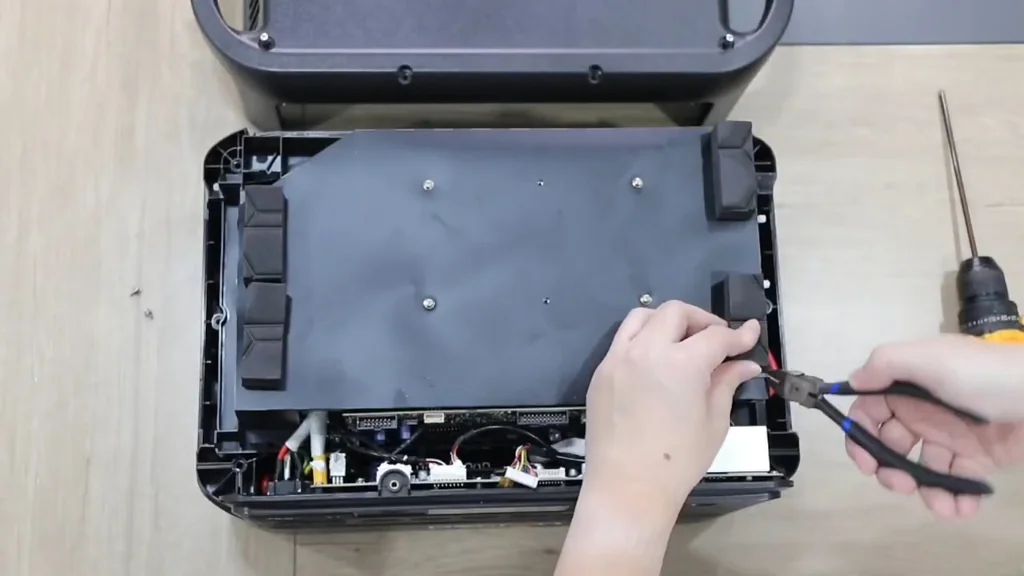
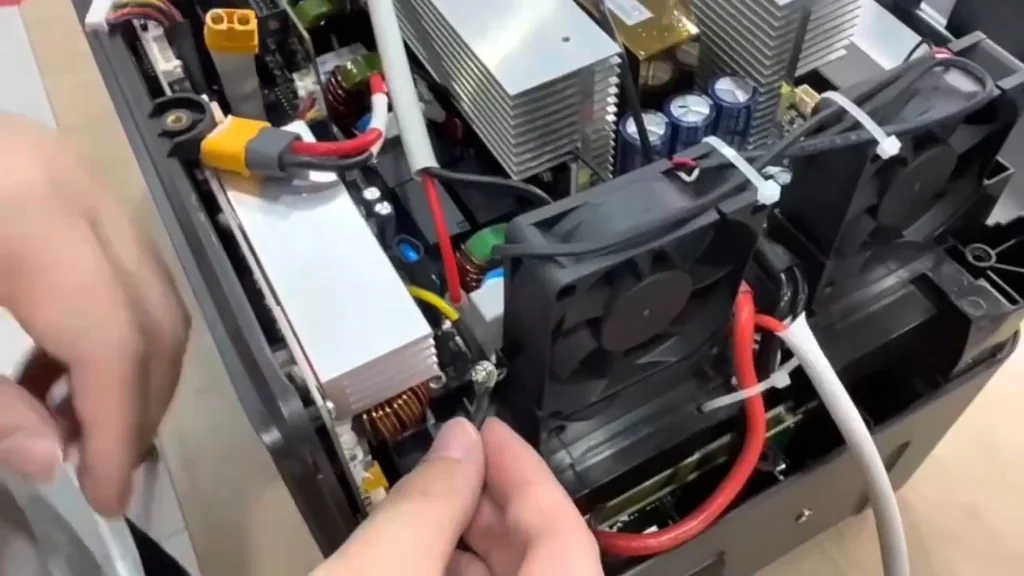
Start by isolating the battery pack from the inverter boards. Use insulated diagonal pliers to carefully release the high-current connectors. It's dangerous. Don't force the plastic housings, as they become brittle over time. Ensure the main power switch is in the off position before touching any terminals. This prevents accidental shorts during the teardown process.
Accessing the Internal Electronics
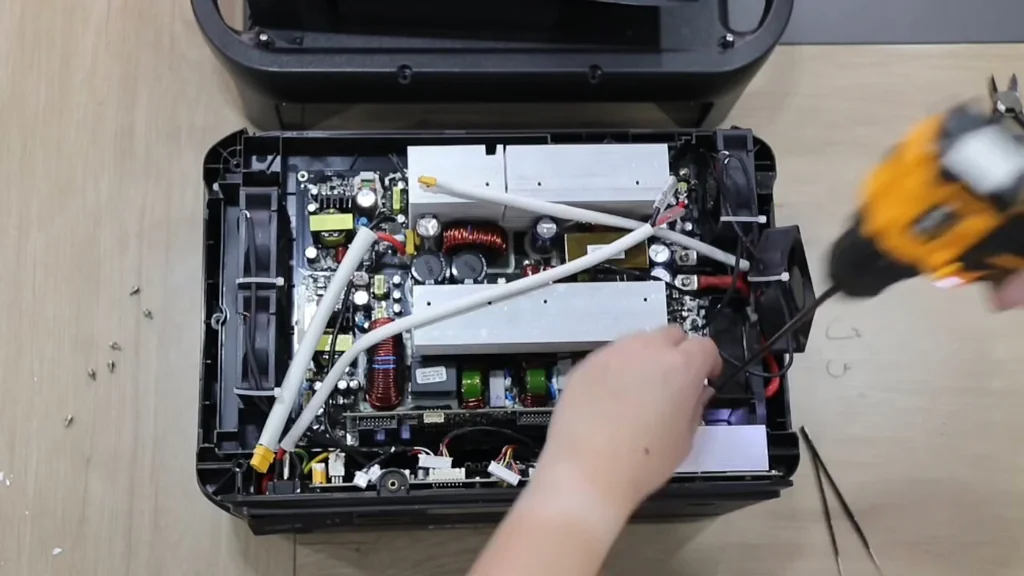
Locate the primary mounting screws securing the inverter board to the chassis. Use a precision screwdriver to back these out slowly. The screws are small. If you strip the heads, you're in trouble. Once the fasteners are removed, gently lift the board to expose the underlying traces and components. Keep track of every screw to ensure proper reassembly later.
Reseating Ribbon Cable Connections
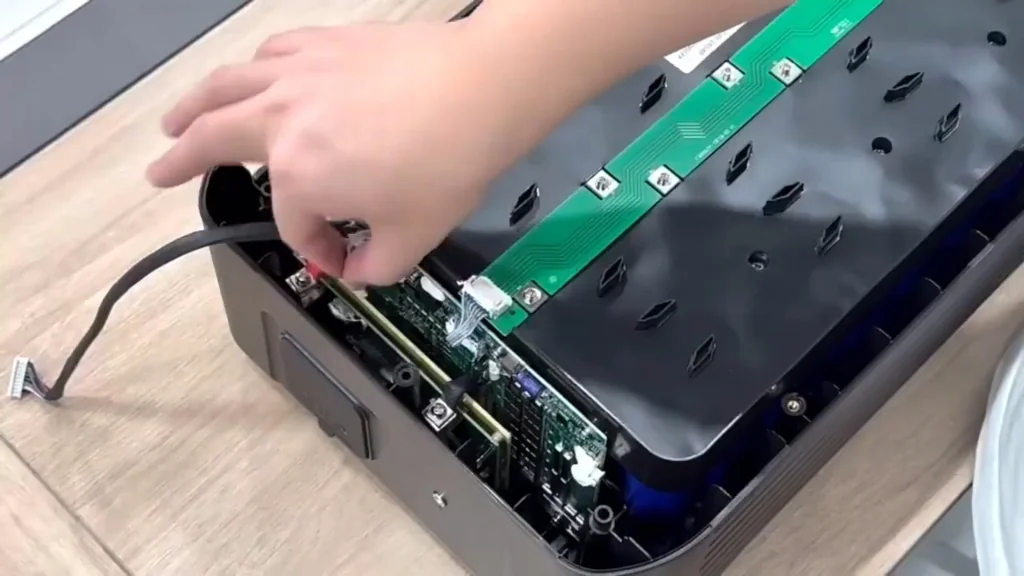
Inspect the ribbon cables connecting the control logic to the inverter board. These cables often loosen due to vibration. It's a common issue. Gently lift the locking tabs on the connectors and slide the ribbon cable out. Clean the contacts with high-purity isopropyl alcohol if oxidation is visible. Reinsert the cable firmly until it clicks into place.
Verifying White Header Connectors
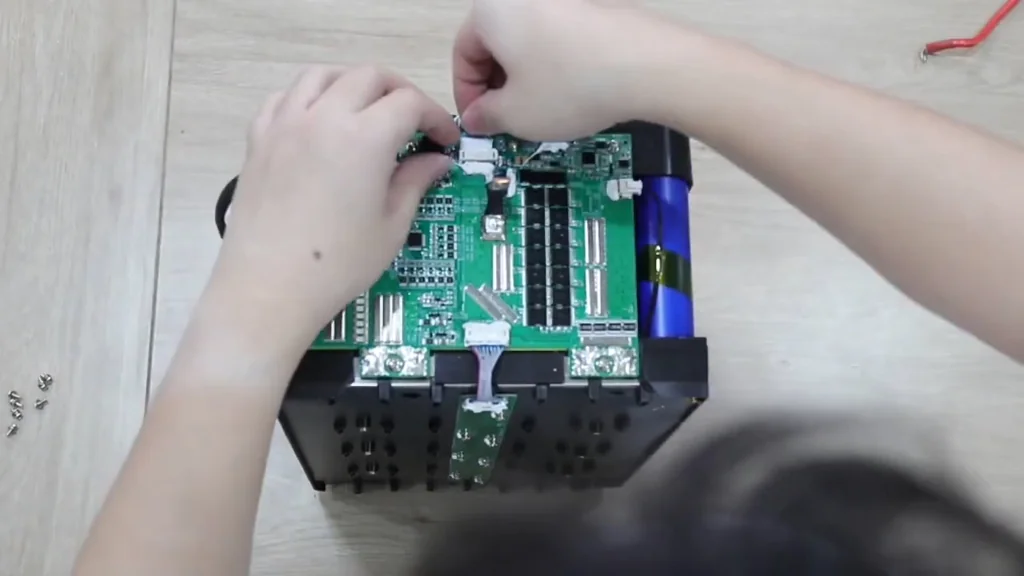
Check all white plastic headers on the PCB for signs of heat stress or loose pins. These connectors carry critical sensor data and power signals. They must be tight. If you notice any discoloration on the plastic, the connection might have been arcing. Ensure each plug is seated flush against the board. A loose connection here will trigger a protection fault immediately.
Board-Level Mechanical Adjustments
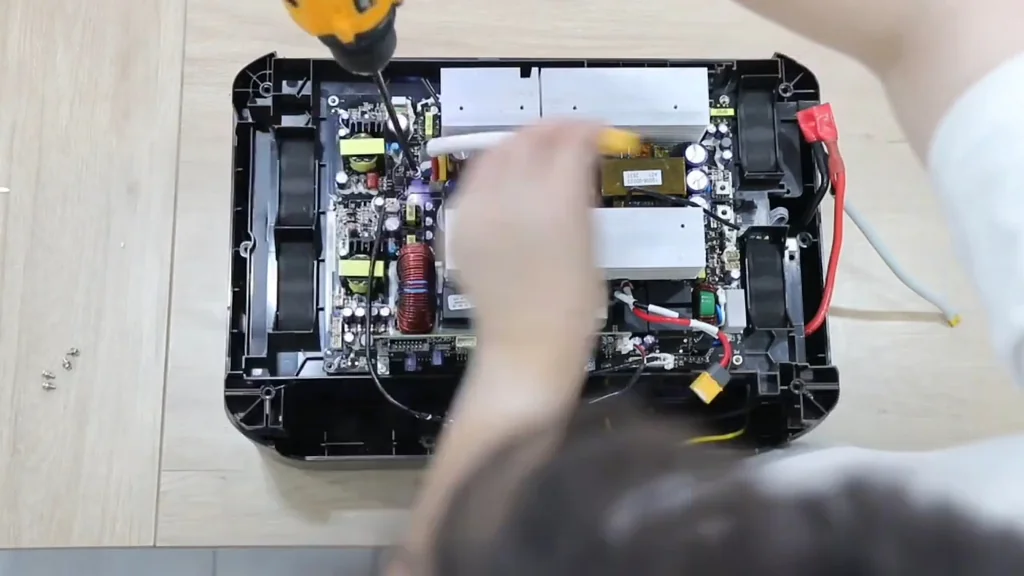
Sometimes the board mounting holes need slight modification to ensure proper alignment. Use an electric mini drill to carefully clear any debris or burrs. It's precise work. Don't apply excessive pressure or you'll crack the PCB substrate. Keep the drill bit perpendicular to the surface at all times. This ensures the board sits level when reinstalled.
Cooling Fan Maintenance
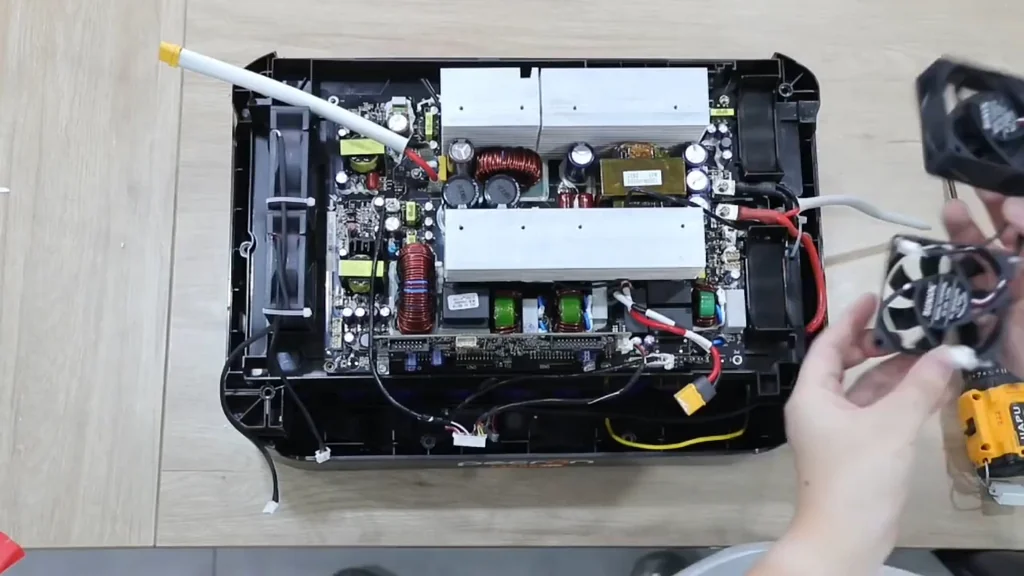
The cooling fans are vital for the longevity of the F3000LFP. If they fail, the inverter will thermal throttle. It's a simple fix. Use the mini drill to remove the mounting hardware if the screws are seized. Check the fan blades for dust buildup and ensure they spin freely. Replace the fans if there is any audible grinding or resistance.
Cable Management and Routing
Organize the internal wiring to prevent interference with the airflow. Use nylon cable ties to bundle the wires neatly. It looks better. Keep the high-voltage lines away from the sensitive logic traces to reduce electromagnetic interference. Tighten the ties just enough to hold the wires without crushing the insulation. This keeps the interior clean and serviceable.
Final Chassis Reassembly
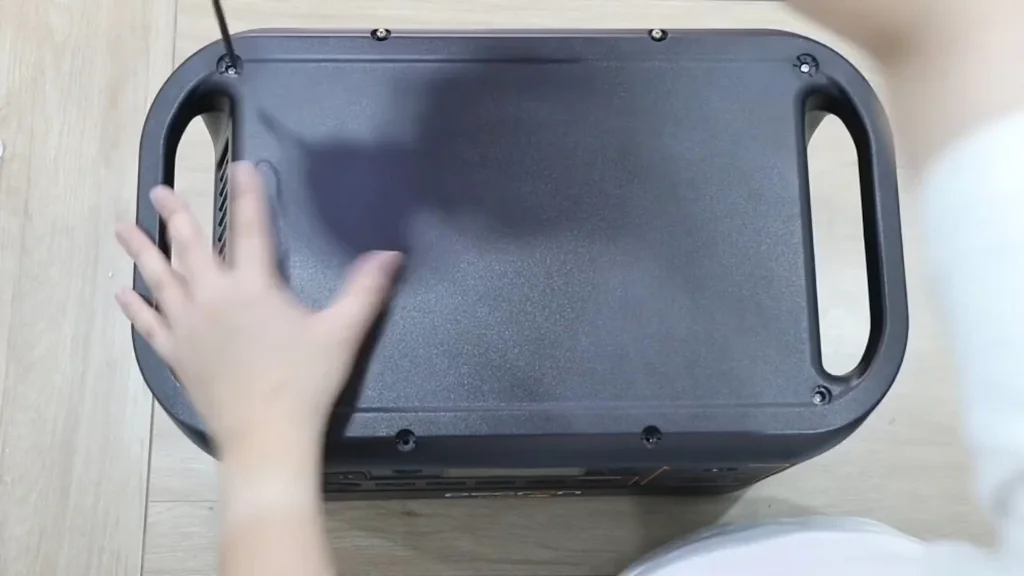
Align the top cover with the chassis frame. Ensure no wires are pinched between the casing and the internal components. It's critical. Slowly tighten the perimeter screws in a cross pattern to distribute pressure evenly. Once closed, perform a final power-on test to verify the system initializes correctly. The unit should now operate as expected.
⚠️ CAUTION: SAFETY WARNING!
High-capacity LiFePO4 batteries store lethal amounts of energy. Always wear eye protection and ensure the system is fully discharged before beginning any internal work.
Summary & Tips
Repairing the Pecron F3000LFP requires patience and a steady hand. Most faults stem from loose connections or thermal management issues. With the unit reassembled, verify all outputs before putting it back into service. Regular maintenance will keep this power station running for years.
📋 FAQ
❓ Why does my Pecron show a protection fault?
Usually, this indicates a loose ribbon cable or a thermal sensor issue. Check all internal connections first. It's often a simple fix.
❓ Can I replace the cooling fans with generic ones?
Yeah, you can, provided the voltage and airflow ratings match the original specs. Ensure the connector pinout is identical. Don't guess the wiring.
❓ Is it safe to open the F3000LFP case?
Honestly, it depends on your experience with high-voltage systems. If you aren't comfortable with live battery terminals, don't do it. Safety comes first.
❓ How do I know if the inverter board is dead?
Typically, you'll see no output even when the battery is charged. Check for blown fuses or burnt components on the PCB. It's a clear sign.
Disclaimer: I purchased all tools for this guide with my own money to ensure an unbiased review. This post contains affiliate links, meaning I earn a small commission if you make a purchase at no extra cost to you.