The Pecron F3000LFP is a solid power station, but when the control board goes out, the whole unit becomes a brick. I’m going to walk you through the teardown and board swap so you can get it back up and running without shipping it off for warranty service. You’ll need to work through the internal wiring and get the old board out cleanly — but it’s totally doable if you take your time.
⚡ Quick Guide: How to Make It in 10 Steps
- Pull the screws out of the main chassis cover.
- Get that internal deflector panel out of the way.
- Unplug the main harness from the control board.
- Yank out the faulty blue control board.
- Disconnect the yellow ribbon cable.
- Get the replacement board lined up and ready.
- Hook up the internal red power wire.
- Tie down the cooling fan cable.
- Bolt the deflector panel back on.
- Close it up and secure the outer casing.
📋 In This Article
- Technical Specifications & Components
- Tools & Materials Used — what you will need for this project
- Opening the Chassis
- Removing the Internal Deflector
- Disconnecting the Main Harness
- Extracting the Blue Control Board
- Unplugging the Ribbon Cable
- Preparing the Replacement Board
- Connecting the Power Feed
- Securing the Fan Cable
- Reinstalling the Deflector
- Final Chassis Reassembly
- FAQ
📊 Technical Specifications & Components
| Device | Pecron F3000LFP |
| Primary Component | Control Board (Blue PCB) |
| Connection Type | Ribbon Cable (Yellow) |
| Cooling System | Integrated Fan |
| Chassis Fasteners | Phillips Head Screws |
📊 Project Overview & Costs
🔧 Difficulty Level: Medium
⏱️ Time Investment: DIY: 45-60 minutes | Pro: 20-30 minutes
💰 Professional Service Cost: $150 - $250
💡 Verdict: Doing the swap yourself saves you shipping costs and weeks of waiting on a service center.
Step-by-Step Assembly, Repair, Testing & Inspection
Opening the Chassis
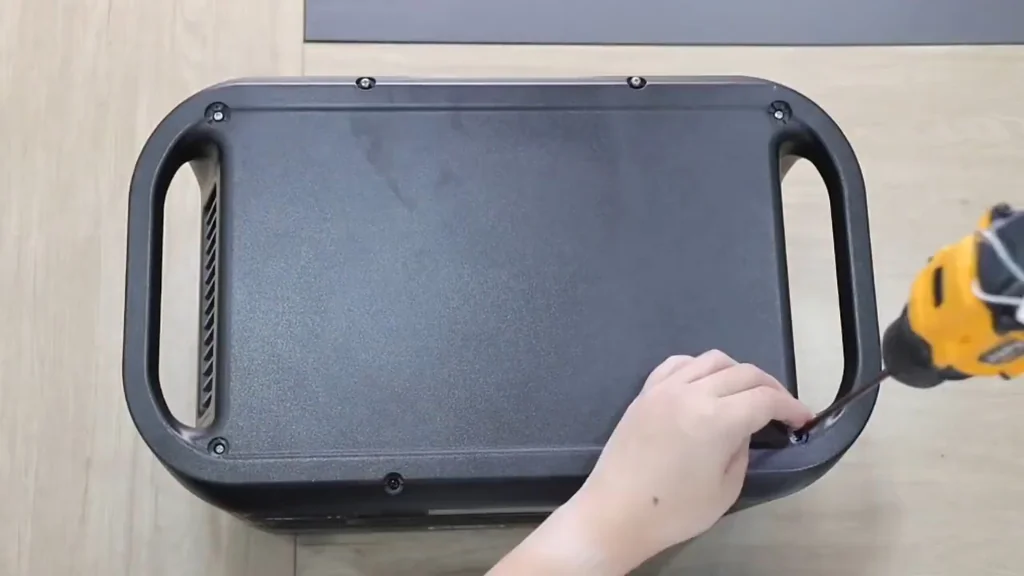
Get the power station onto a clean, non-conductive surface first. I use a rubber mat so nothing slides around. Grab your electric drill and back out all the perimeter screws holding the outer shell on. Keep those screws organized — I drop mine in a magnetic tray so I don't lose them mid-repair. The casing should lift off clean once everything's out.
Removing the Internal Deflector
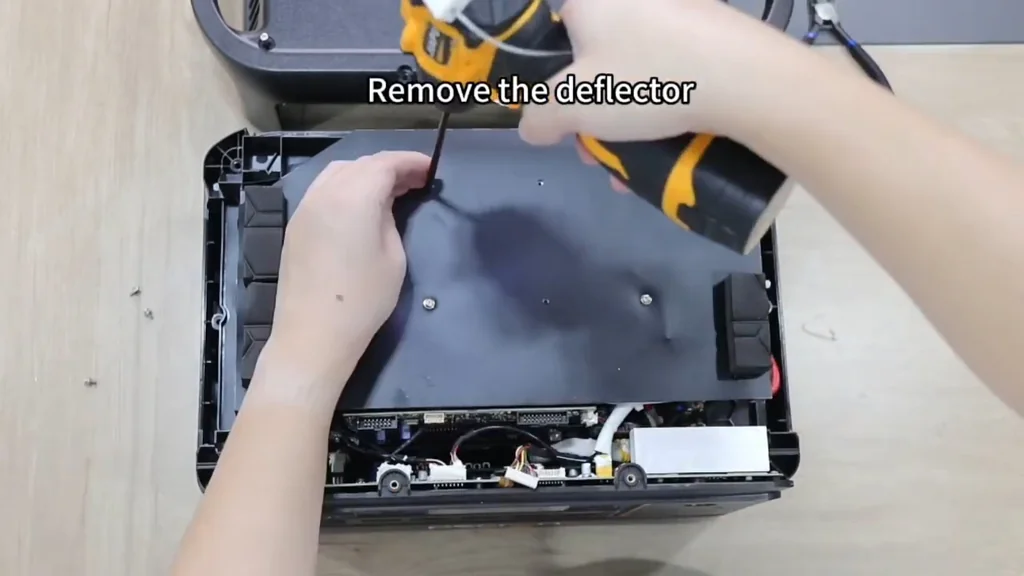
The internal deflector directs airflow across the power components, so it's got to come out before you can reach anything. Use the electric screwdriver to pull the mounting screws. It's a snug fit in there, so take your time. Once the screws are out, work the deflector free carefully — there are wires tucked behind it that you don't want to snag.
Disconnecting the Main Harness
Now you've got access to the main wiring harness. Find the locking tabs on the connector and release them with gentle pressure — don't force it. Pull straight back on the connector body, not the wires. Yanking on the wires is how you end up with broken pins and a bigger repair job than you started with.
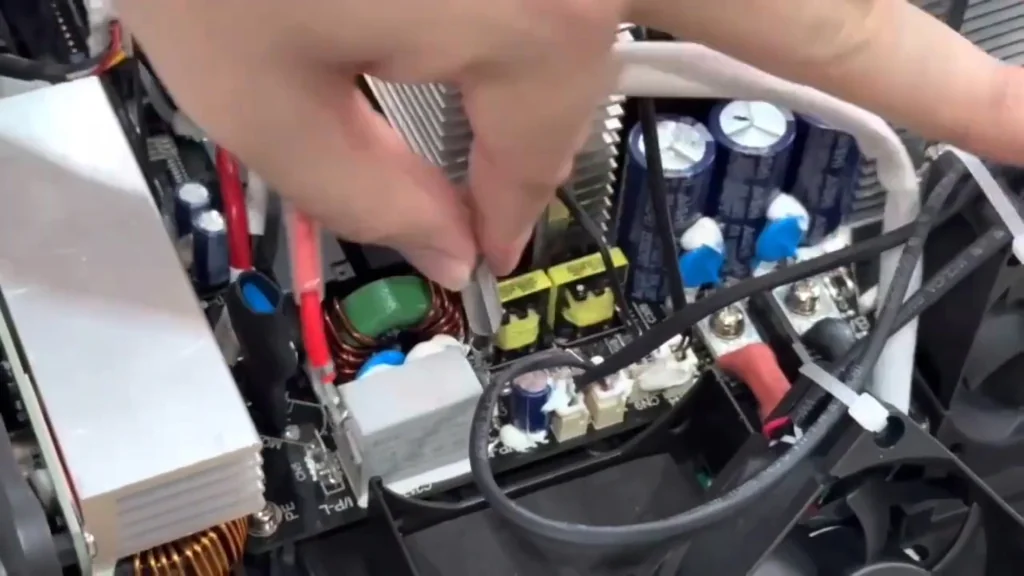
Extracting the Blue Control Board
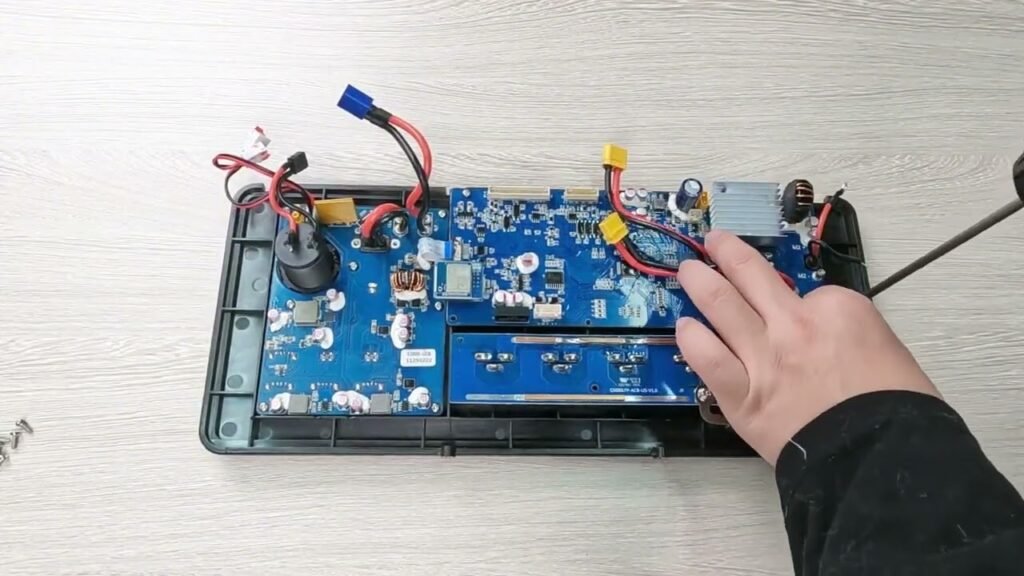
The blue control board is the brain of the whole unit — this is what you're replacing. Unfasten the mounting screws holding the PCB to the chassis standoffs. Lift it out slow and steady. It's fragile, so keep it clear of any sharp metal edges inside the housing. One more thing: if the unit was recently powered, don't touch the capacitors. They can hold a charge even after shutdown.
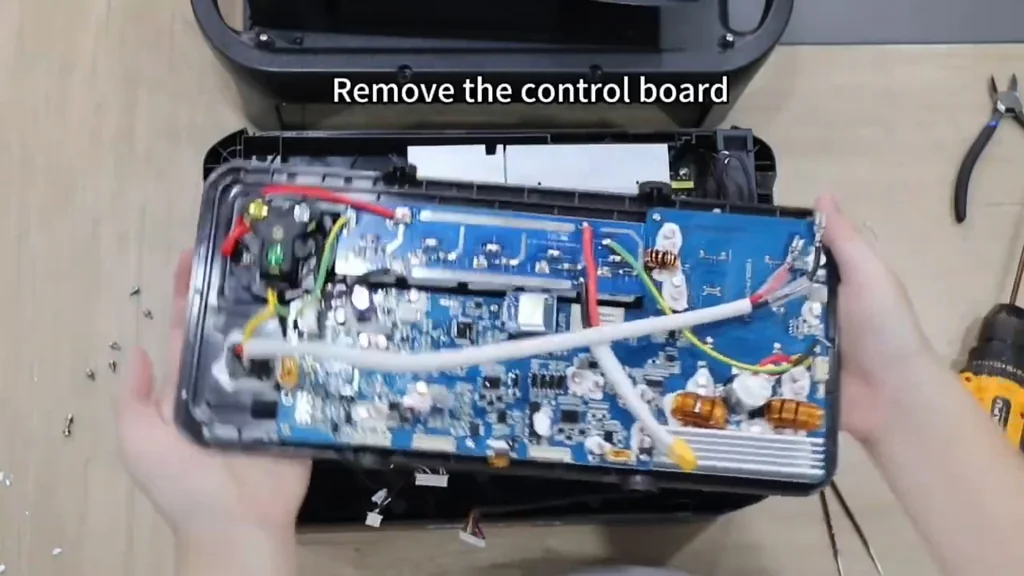
Unplugging the Ribbon Cable
There's a yellow ribbon cable connecting the board to the display. Flip the locking lever on the ZIF connector to release it, then slide the cable out slowly. Ribbon cables are stupidly fragile — once you crease or tear the traces, you're done. Handle it like it's made of paper.
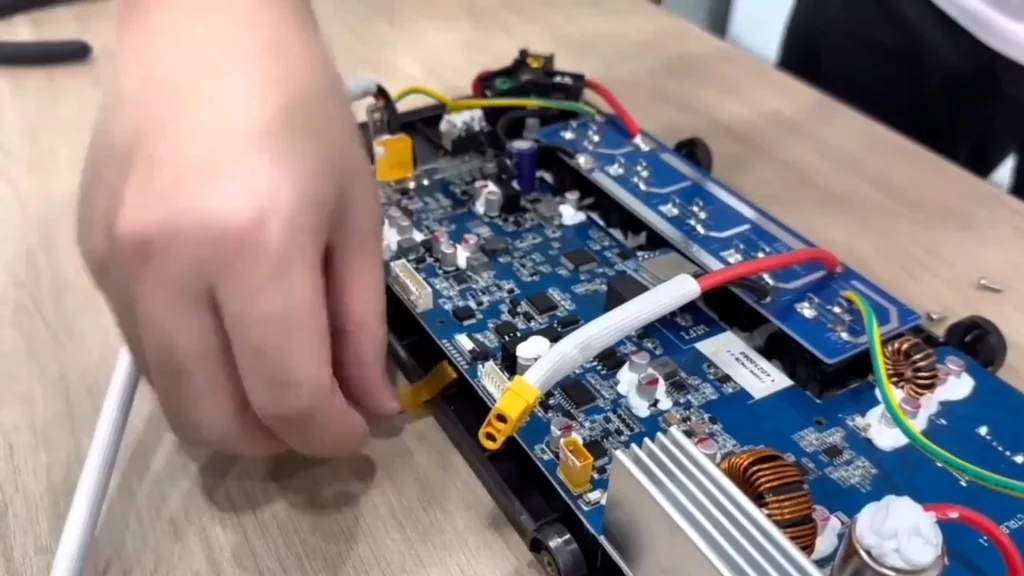
Preparing the Replacement Board
Before you drop the new board in, give it a once-over for any shipping damage. Check the part number against the original — they should match exactly. Line it up with the mounting holes in the chassis and get your screws ready. This is one of those times where going slow saves you a headache later.
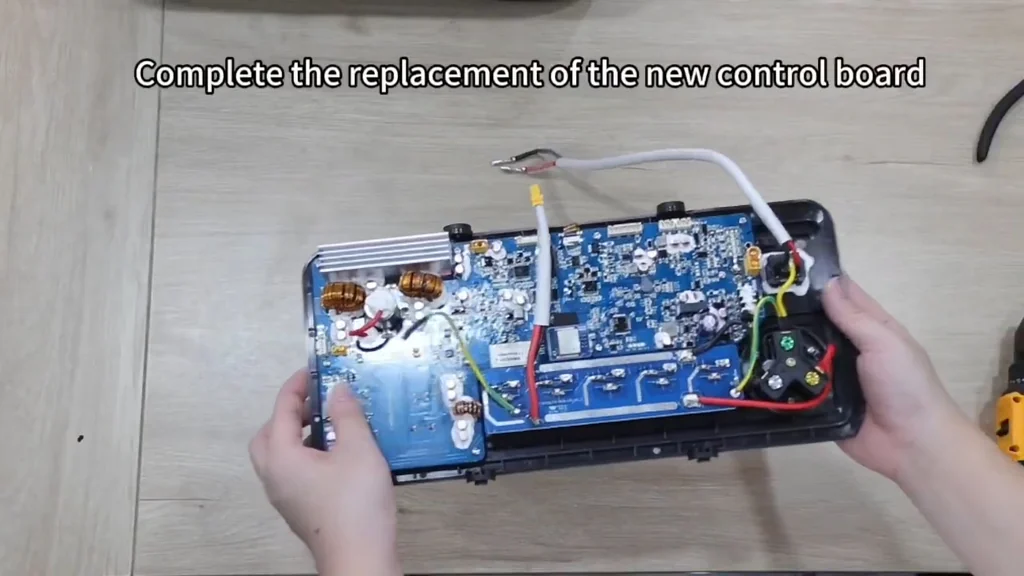
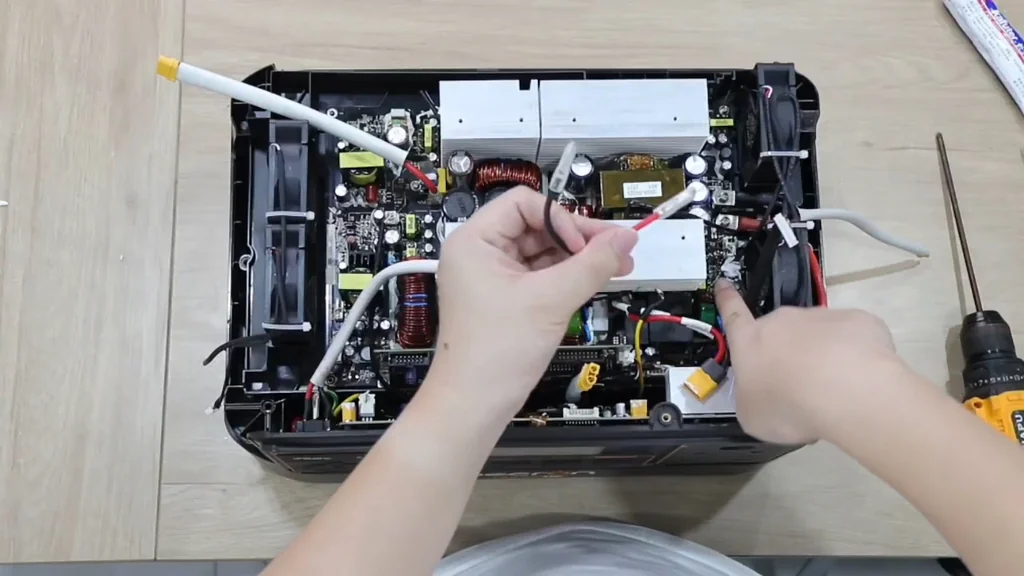
Connecting the Power Feed
There's a red wire that handles the internal power feed. Push the connector onto the matching terminal on the new board — it should click in firmly. Give it a little wiggle to make sure it's seated. A loose connection here will cause intermittent power issues that'll drive you crazy chasing down.
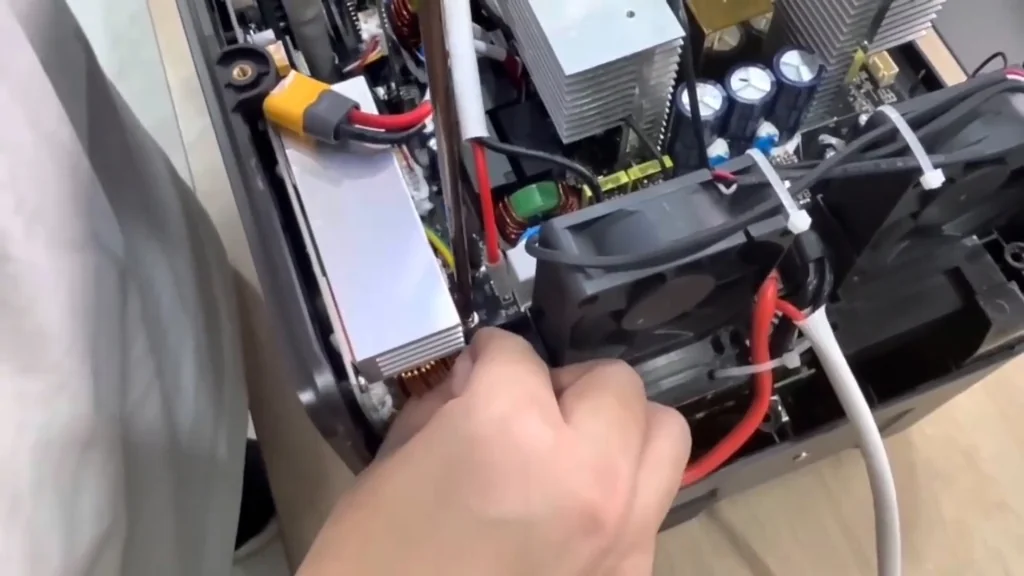
Securing the Fan Cable
The cooling fan cable needs to be routed so it doesn't interfere with anything. Grab a fresh zip tie and bundle it against the chassis frame. Snip off the excess. You want the airflow path clear and the cable out of the way. Clean cable management is the difference between a repair that lasts and one that fails in a month.
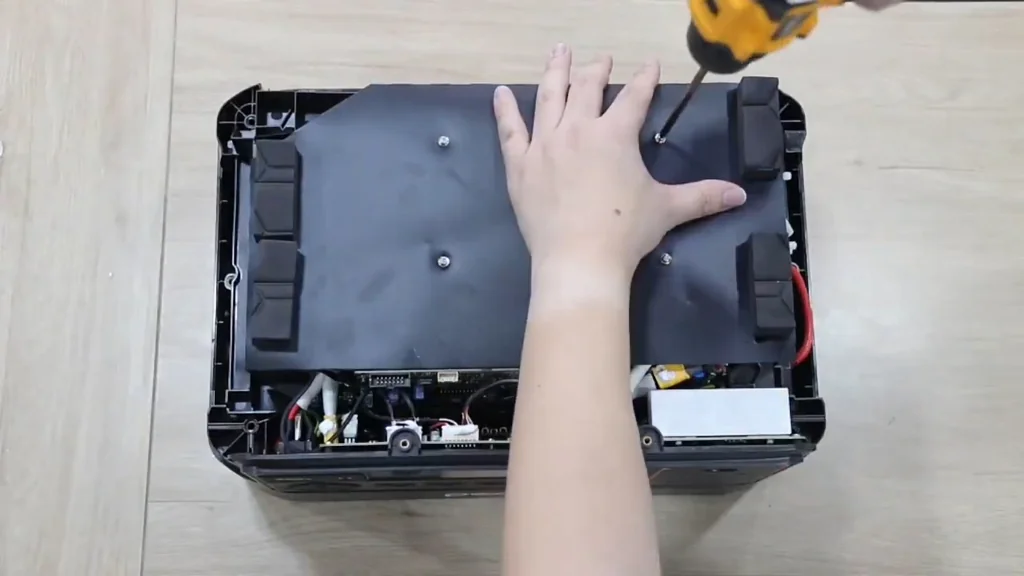
Reinstalling the Deflector
Slide the deflector panel back into its original position and drive the screws back in with your electric screwdriver. Don't overtighten — these are small screws going into plastic threads, and stripping them is way too easy. The panel should sit flush against the frame and feel solid.
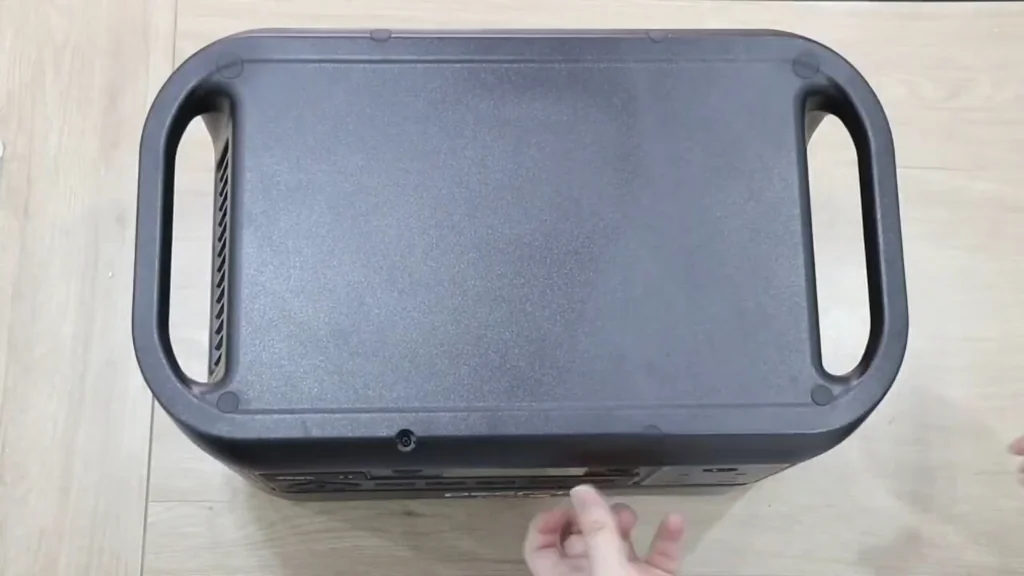
Final Chassis Reassembly
Line up the outer cover with the base and press it down until it seats properly. Drive all the perimeter screws back in. Before you call it done, power the unit up and make sure it boots normally. If everything lights up and responds, you're good to go.
⚠️ CAUTION: SAFETY WARNING!
Make sure the power station is fully discharged and disconnected from all AC and DC sources before you crack it open. Those capacitors can hold a charge even after the unit is off — verify zero voltage with a multimeter first.
Summary & Tips
The repair is pretty straightforward as long as you keep your screws organized and double-check every ribbon cable connection before sealing it back up. Work on a clean surface to avoid accidental shorts. Take your time, test before you close, and your F3000LFP should run like new.
📋 FAQ
❓ Do I need to discharge the capacitors?
Yeah, absolutely. Even with the unit off, there can be residual voltage. Check with a multimeter before touching anything.
❓ Can I use a standard drill for this?
Nah, stick with a precision electric screwdriver. A full-sized drill has too much torque and will crack the plastic or strip the small screws.
❓ What if the ribbon cable is damaged?
You'll need a replacement cable. Ribbon cables are basically impossible to repair once the traces are torn or bent.
❓ Is this repair difficult for beginners?
Depends on your comfort level. If you can handle small screws and delicate connectors without rushing, you'll be fine. Just take your time.
Disclaimer: I purchased all tools for this guide with my own money to ensure an unbiased review. This post contains affiliate links, meaning I earn a small commission if you make a purchase at no extra cost to you.