The Hoymiles HiBattery 4020 X is a 4.02 kWh LiFePO4 energy storage system designed to bridge the gap between solar production and household demand. This unit integrates an inverter and manages energy flow to reduce grid dependence. We’re looking at the installation, smart meter configuration, and real-world load testing to see how it handles daily household cycles.
⚡ Quick Guide: How to Make It in 5-10 Steps
📋 In This Article
- Technical Specifications & Components
- Tools & Materials Used — what you will need for this project
- Inspecting the HiBattery 4020 X Hardware
- Verifying Unit Branding and Layout
- Unboxing the Storage System
- Preparing Tools for Installation
- Selecting the Correct DC Circuit Breaker
- Installing the Current Transformer Clamp
- Integrating with the Electrical Panel
- Linking the Device via S-Miles Home App
- Configuring Output Power Settings
- Adjusting Charge and Discharge Parameters
- Monitoring the Energy Flow Dashboard
- Setting Operating Modes
- Tracking Solar Production Metrics
- Analyzing Grid Usage Data
- Running a Load Test with a Heater
- Reviewing Additional Electronic Kits
- FAQ
📊 Technical Specifications & Components
| Battery Capacity | 4.02 kWh |
| Battery Chemistry | LiFePO4 |
| Solar PV Input | Up to 4,000W |
| MPPT Inputs | 4 independent |
| Charge/Discharge Power | Up to 2,000W |
| Ingress Protection | IP66 |
| Cycle Life | >8,000 cycles |
| Warranty | 10 years |
📊 Project Overview & Costs
🔧 Difficulty Level: Medium
⏱️ Time Investment: DIY: 4-6 hours | Pro: 2-3 hours
💰 Professional Service Cost: $200-$500 for professional electrical integration
💡 Verdict: Significant reduction in peak-hour grid consumption through intelligent TOU optimization.
🛠️ Tools & Materials Used
• BEIYI DC circuit breaker
• Current transformer (CT clamp)
• Smartphone with S-Miles Home app
Step-by-Step Assembly, Repair, Testing & Inspection
Inspecting the HiBattery 4020 X Hardware
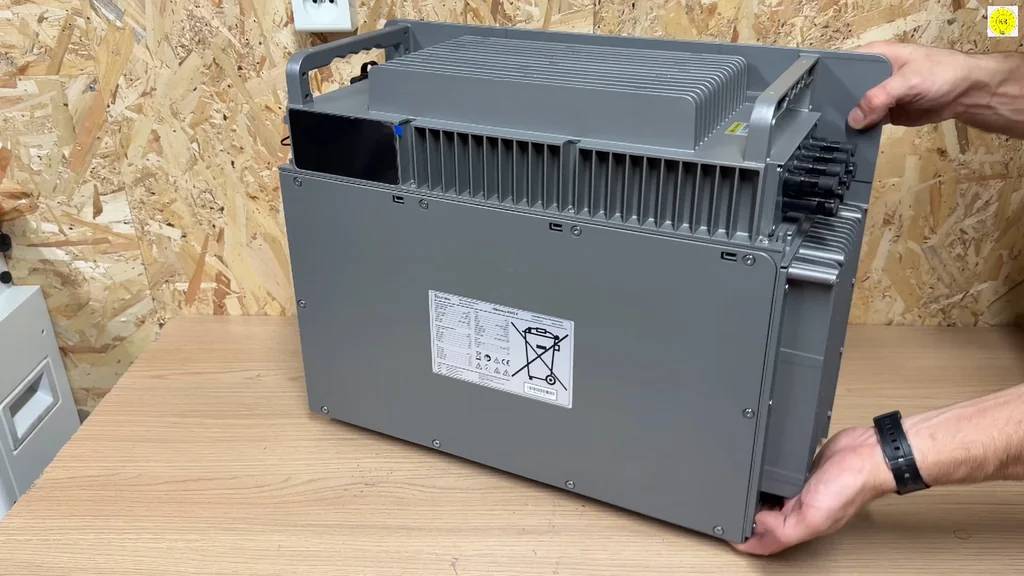
The HiBattery 4020 X arrives as a compact, all-in-one energy storage solution. It's built for durability. The chassis is robust and carries an IP66 rating, meaning it handles dust and water exposure without issue. This is a serious piece of kit. You can tell by the build quality that it's designed for long-term outdoor or garage installation.
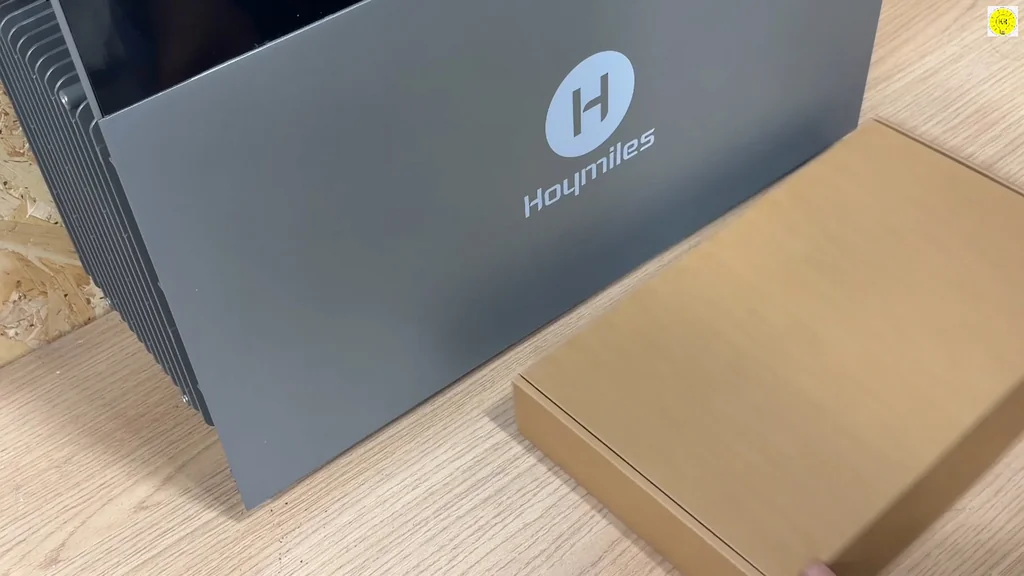
Verifying Unit Branding and Layout
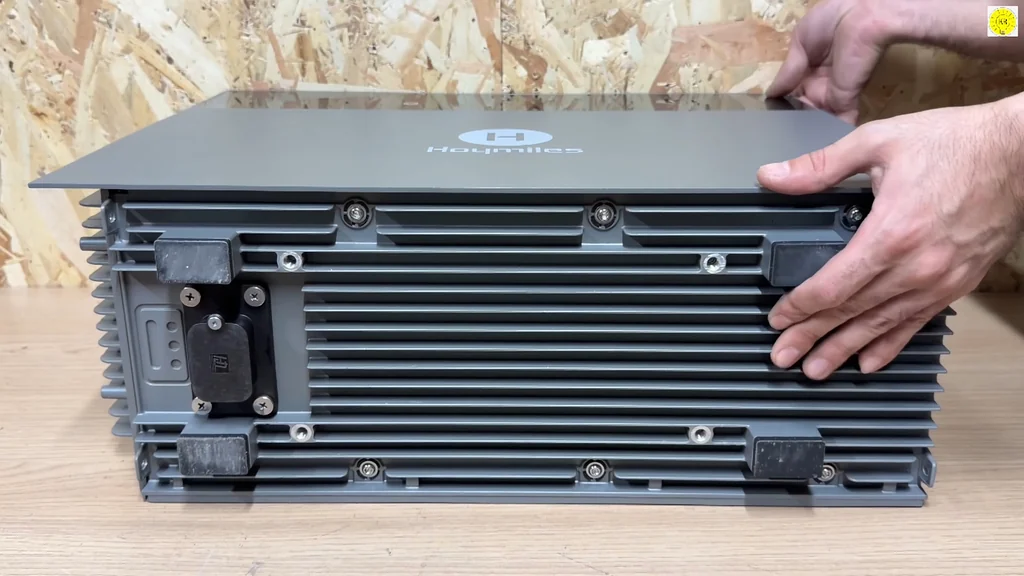
Looking at the front panel, the Hoymiles branding is clear and professional. The layout is clean. All ports and status indicators are logically placed for easy access during the install. It's intuitive. You don't need to guess where the connections go.
Unboxing the Storage System
The packaging is secure and protects the inverter and battery components during transit. Everything is tucked away neatly. You'll find the main unit and essential mounting hardware inside the box. It's ready for deployment. Don't rush the unboxing process.
Preparing Tools for Installation
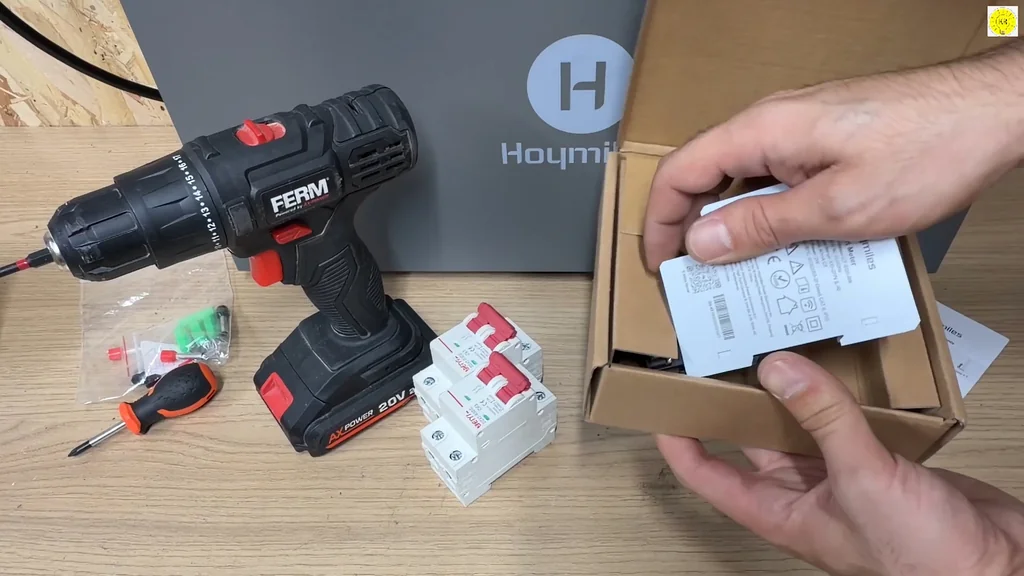
You need the right tools to get this mounted correctly. A power drill is essential for securing the brackets to the wall. We're also prepping the electrical breakers to ensure the system is protected. It's a standard procedure. Safety comes first here.
Selecting the Correct DC Circuit Breaker
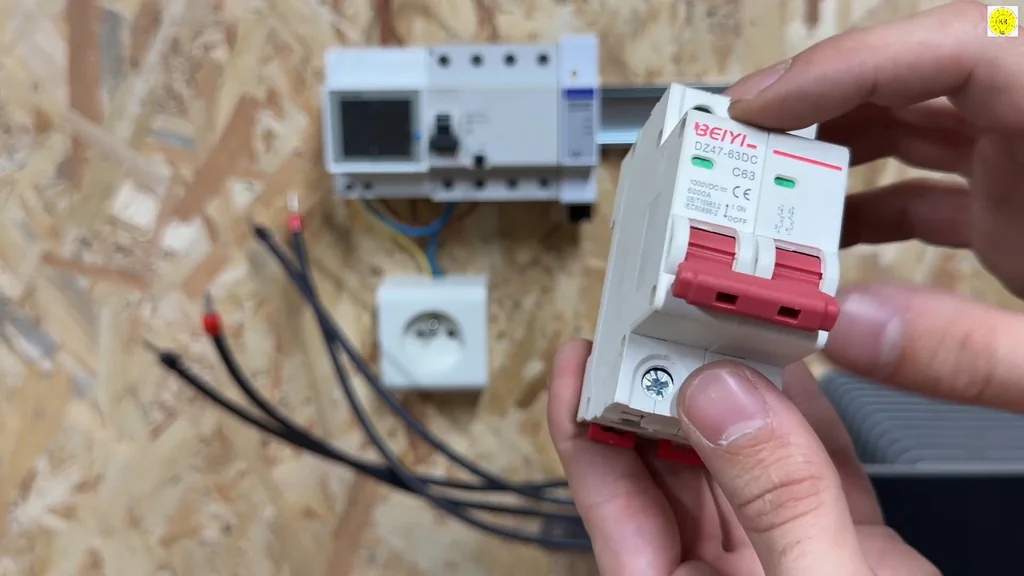
The BEIYI DC circuit breaker is a critical component for the battery side of the installation. It handles the high current flow safely. You must ensure the rating matches the system requirements. It's a solid choice. This protects your investment from surges.
Installing the Current Transformer Clamp
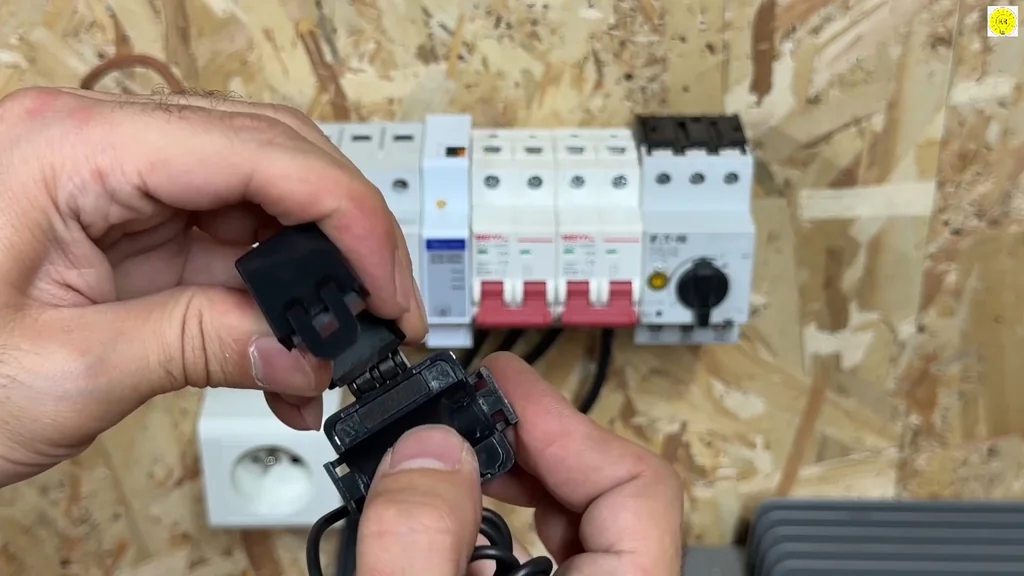
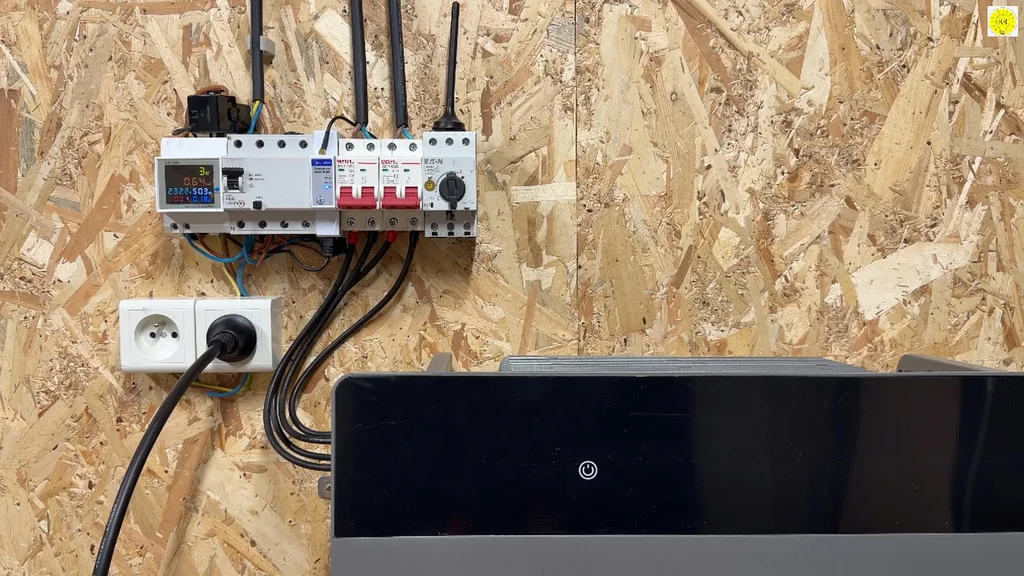
The CT clamp needs to be placed on the main grid feed line. This allows the system to monitor household consumption in real-time. It's a simple snap-on connection. Accuracy is the goal. If the clamp isn't seated correctly, your data will be off.
Integrating with the Electrical Panel
Wiring the HiBattery into the main panel requires careful attention to local codes. The connections are straightforward but must be tight. You're bridging the storage system with the home grid. It's a clean setup. Everything is properly labeled.
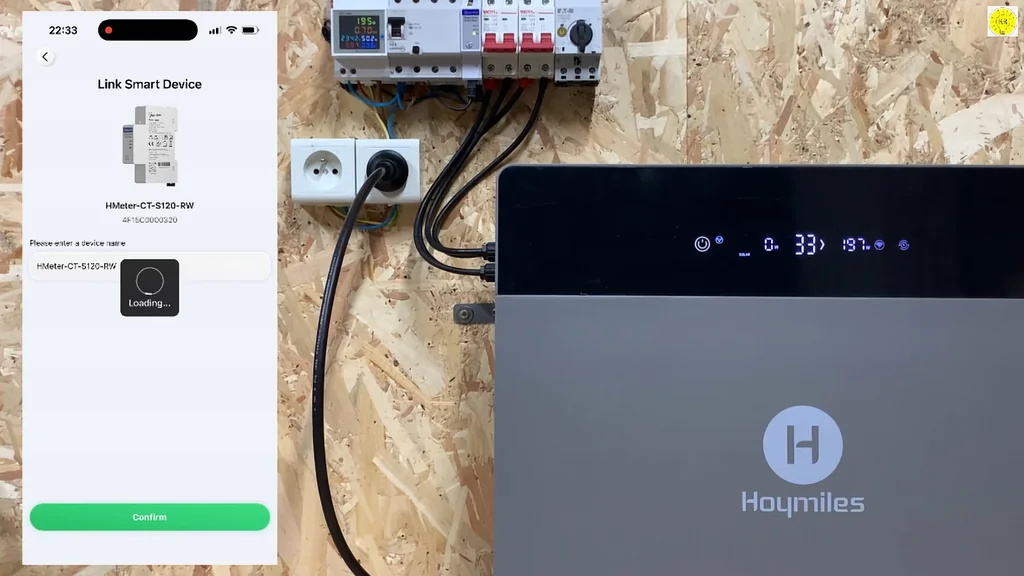
Linking the Device via S-Miles Home App
The S-Miles Home app handles the digital handshake. You scan the unit to link it to your network. It's fast. Once connected, you get full visibility into the system status. The interface is responsive.
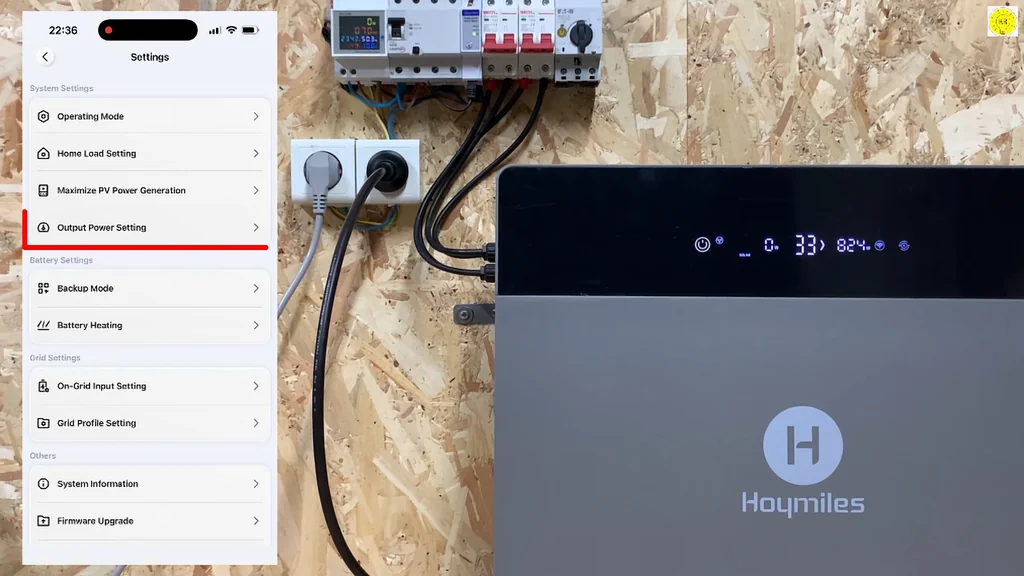
Configuring Output Power Settings
You can dial in the output power limits directly through the app. This is useful for managing peak demand. It's flexible. You have a total control over how the battery interacts with your home loads.
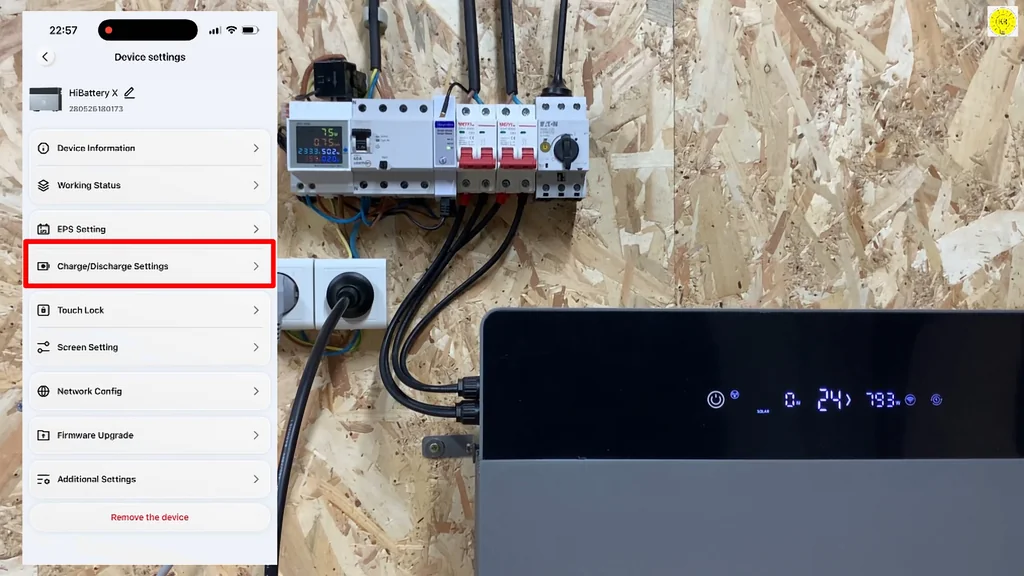
Adjusting Charge and Discharge Parameters
Setting the charge and discharge thresholds is key to battery longevity. You want to avoid deep cycling if you don't have to. It's smart management. The app makes these adjustments easy to perform.
Monitoring the Energy Flow Dashboard
The dashboard gives you a live view of energy movement. You can see solar production, battery state of charge, and grid usage. It's informative. You'll know exactly where your power is going.
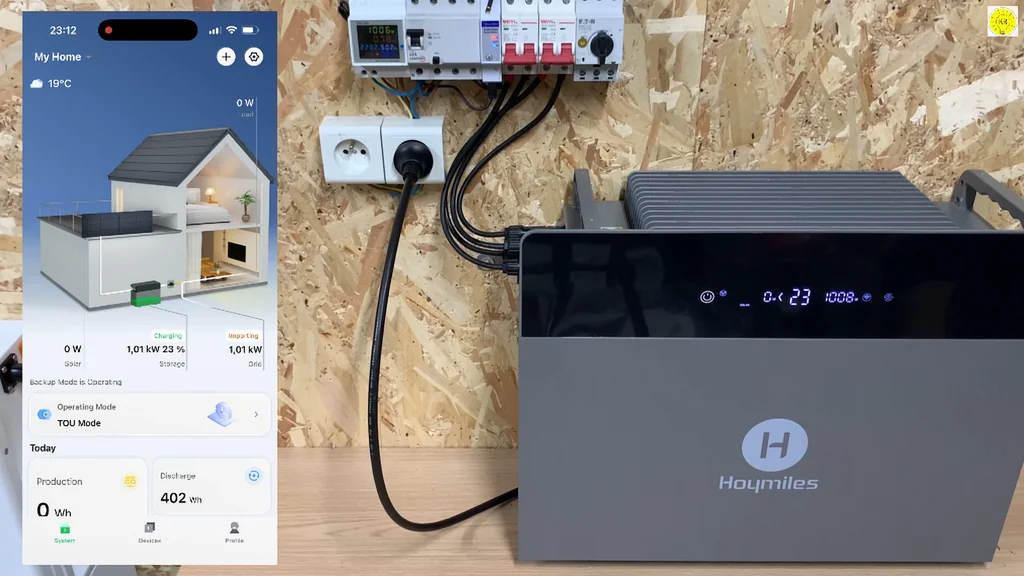
Setting Operating Modes
The system offers several modes, including self-consumption and grid-forced charging. You choose what fits your needs. It's highly customizable. This is the brain of the operation.
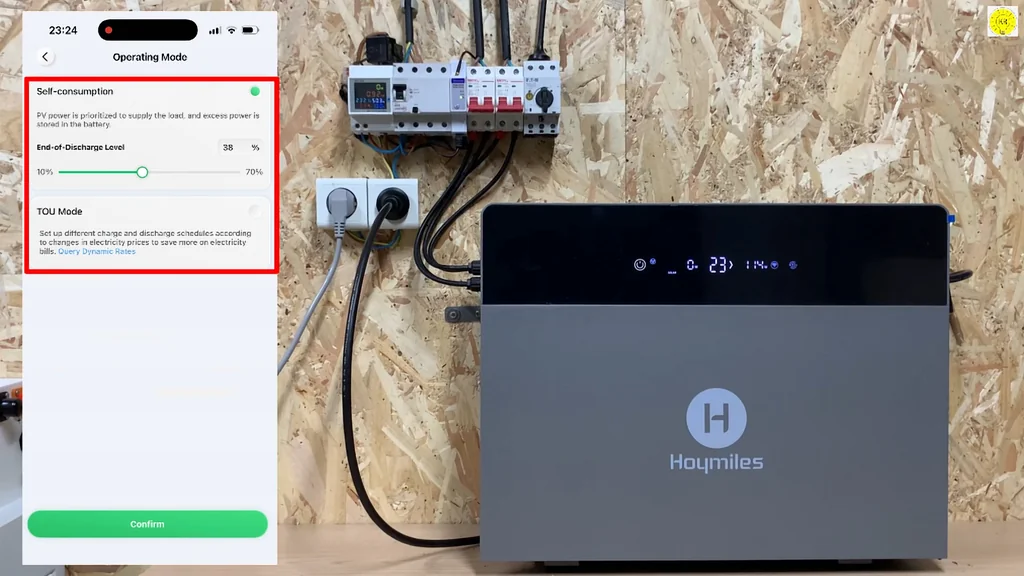
Tracking Solar Production Metrics
The app tracks your PV input in real-time. You can see how much energy the panels are generating. It's impressive. The data helps you optimize your system placement.
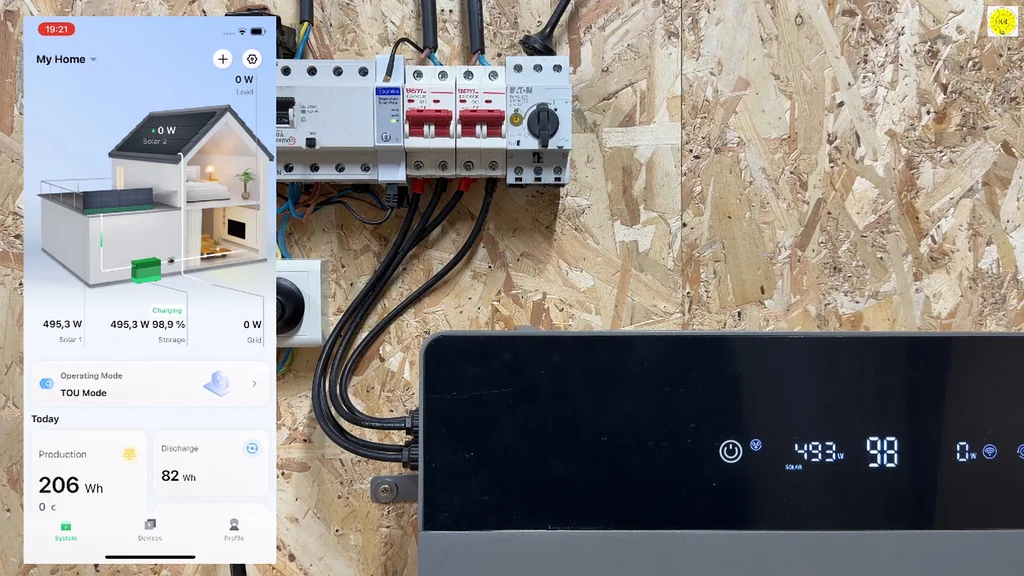
Analyzing Grid Usage Data
Monitoring grid usage helps you identify when you're pulling from the utility. It's eye-opening. You can see how the battery offsets those expensive peak hours.
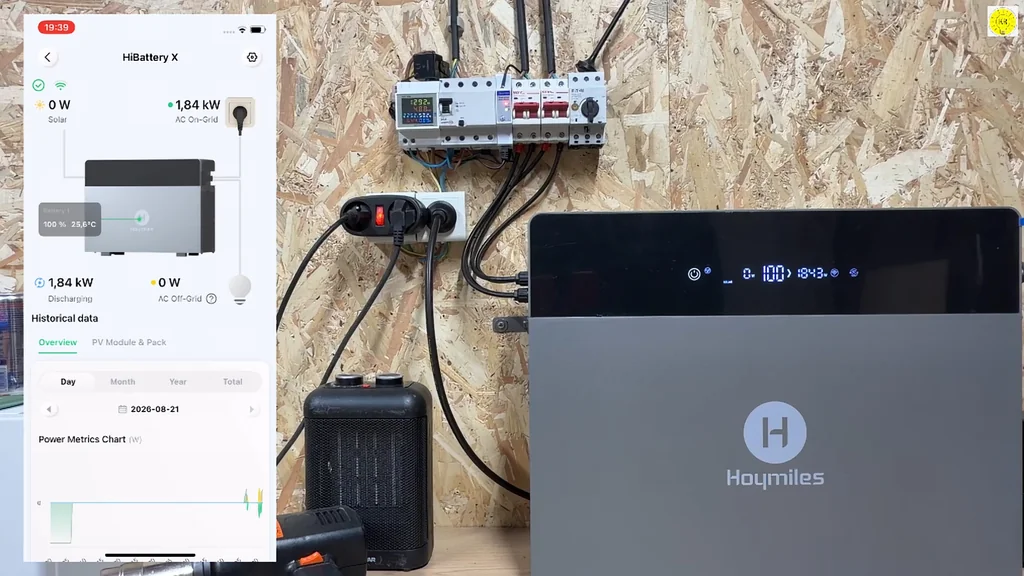
Running a Load Test with a Heater
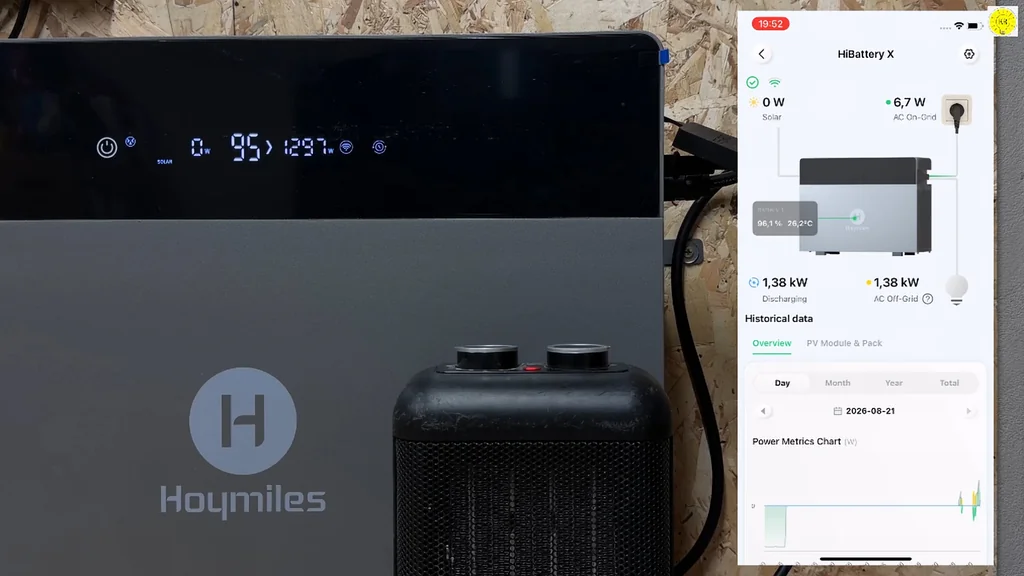
We're testing the system under a heavy load using an electric heater. It's a stress test. The battery handles the draw without breaking a sweat. It's reliable.
Reviewing Additional Electronic Kits
The website offers various kits for further system expansion. It's a deep catalog. You can find everything you need for future upgrades. It's a great resource.
⚠️ CAUTION: SAFETY WARNING!
Always disconnect the main power supply before working on your electrical panel. High-voltage DC from solar arrays can be lethal, so verify all lines are dead with a multimeter.
Summary & Tips
The HiBattery 4020 X provides a robust, user-friendly approach to home energy management. Its integration with the S-Miles Home app makes monitoring and optimization straightforward for the end user. The system handled our load tests effectively, demonstrating its capability to reduce grid reliance. It's a solid investment for anyone looking to gain more control over their home energy consumption.
📋 FAQ
❓ Can I install this system myself?
Yeah, you can do the physical mounting, but the electrical grid connection should be handled by a pro. It's safer that way. Don't risk it if you aren't sure.
❓ Does the battery work during a grid outage?
Honestly, it depends on your specific configuration and local regulations. The system is designed for self-consumption and peak shaving. Check your local codes first.
❓ Is the S-Miles app hard to use?
Not at all. It's pretty intuitive. You'll have it set up in minutes. It makes tracking your energy flow really simple.
❓ How long does the battery last?
The manufacturer rates it for over 8,000 cycles. That's a long time. It's built to last for years of daily use.
Disclaimer: I purchased all tools for this guide with my own money to ensure an unbiased review. This post contains affiliate links, meaning I earn a small commission if you make a purchase at no extra cost to you.