Most portable power stations are intentionally limited in capacity to force users into buying proprietary, high-cost expansion packs. You can bypass this limitation by integrating a standard 12V LiFePO4 battery using a DC-to-DC charger. This approach provides a significant boost in runtime for a fraction of the cost, turning a basic power station into a much more capable off-grid energy system.
⚡ Quick Guide: How to Make It in 9 Steps
- Identify your power station’s expansion port requirements.
- Select a high-quality 12V LiFePO4 battery with Bluetooth monitoring.
- Avoid simple XT60 solar inputs for expansion.
- Install a dedicated DC-to-DC charger for voltage matching.
- Connect the charger to the expansion port.
- Configure charge and discharge settings via mobile apps.
- Monitor real-time power transfer.
- Toggle reverse charging modes as needed.
- Verify system efficiency and capacity gains.
📋 In This Article
- Technical Specifications & Components
- Tools & Materials Used — what you will need for this project
- Understanding Power Station Limitations
- Selecting the Right LiFePO4 Battery
- Why XT60 Solar Ports Are Suboptimal
- Installing the DC-to-DC Charger
- Configuring Charge and Discharge Settings
- Monitoring Power Transfer Efficiency
- Utilizing Reverse Charging for Maintenance
- Managing the System Manually
- Final Verdict on Budget Expansion
- FAQ
📊 Technical Specifications & Components
| Battery Chemistry | Lithium Iron Phosphate (LiFePO4) |
| Battery Capacity | 125Ah |
| Nominal Voltage | 12.8V |
| DC | to-DC Charger Power: 800W |
| Max Current | 70A |
| Input Voltage Range | 11V - 60V |
| Charging Efficiency | High (DC-to-DC conversion) |
| Communication | Bluetooth app-based monitoring |
📊 Project Overview & Costs
🔧 Difficulty Level: Medium
⏱️ Time Investment: DIY: 45 minutes | Pro: 20 minutes
💰 Professional Service Cost: $250 - $450
💡 Verdict: You save over 50% compared to buying official manufacturer expansion packs.
🛠️ Tools & Materials Used
• 12V 125Ah LiFePO4 Battery
• EcoFlow DC-to-DC Charger
• Smartphone with manufacturer control apps
• Battery expansion port cables
Step-by-Step Assembly, Repair, Testing & Inspection
Understanding Power Station Limitations
Portable power stations like the EcoFlow Delta 3 Plus are great, but their stock capacity is often insufficient for heavy daily use. Manufacturers design these units to push expensive, proprietary expansion packs. It's a common strategy. By using a standard 12V battery, you can bypass these artificial barriers and get more runtime.
Selecting the Right LiFePO4 Battery
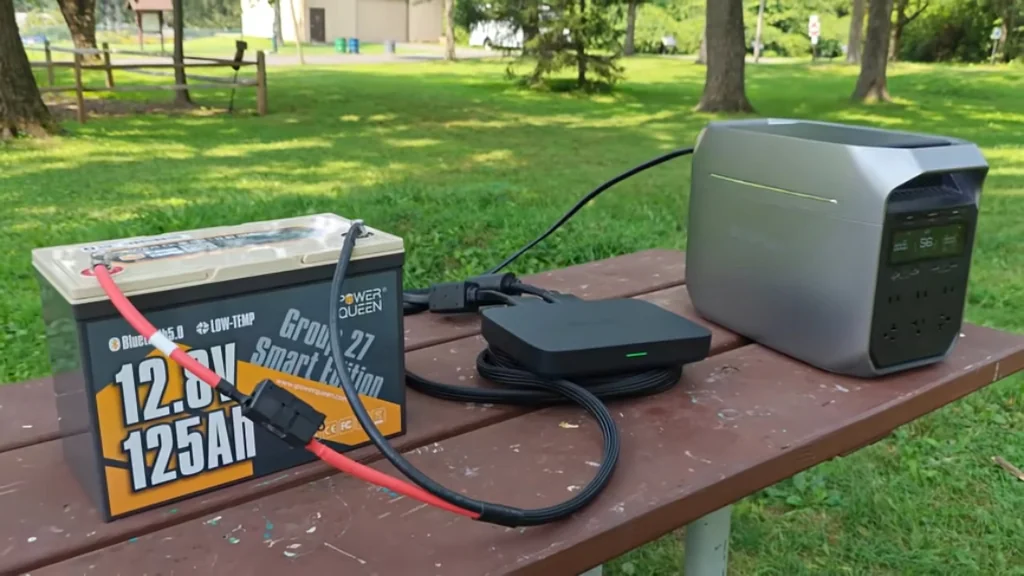
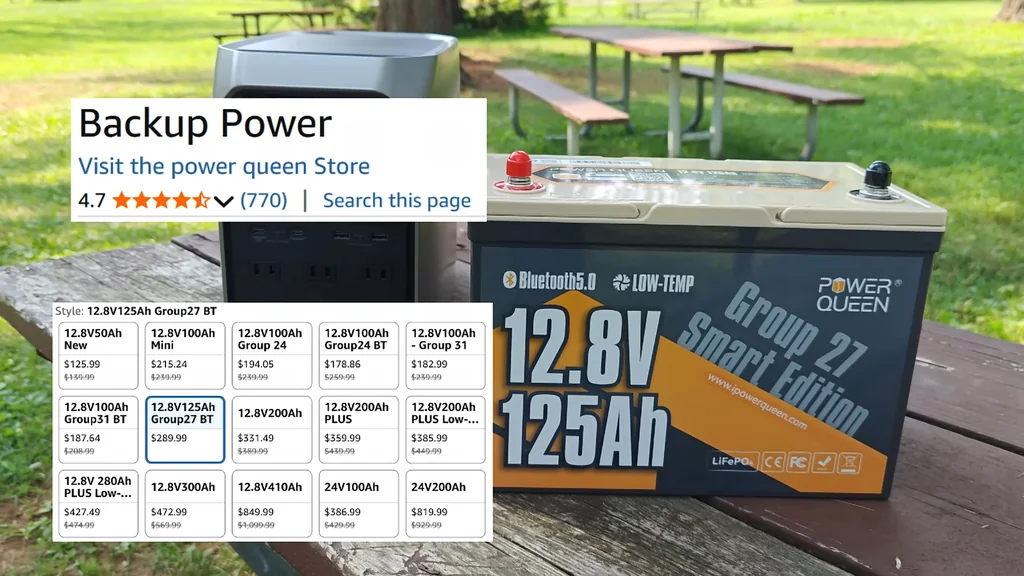
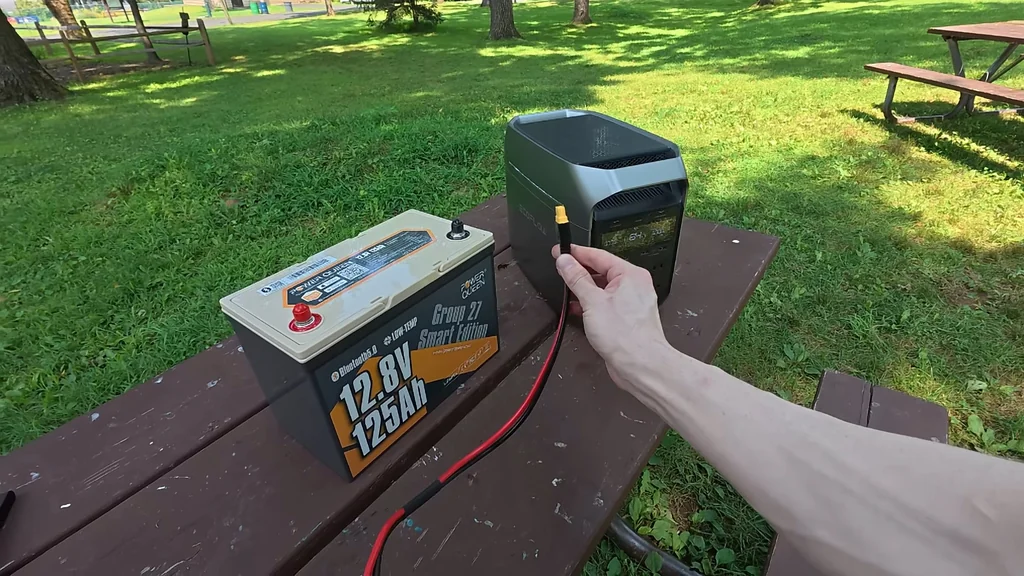
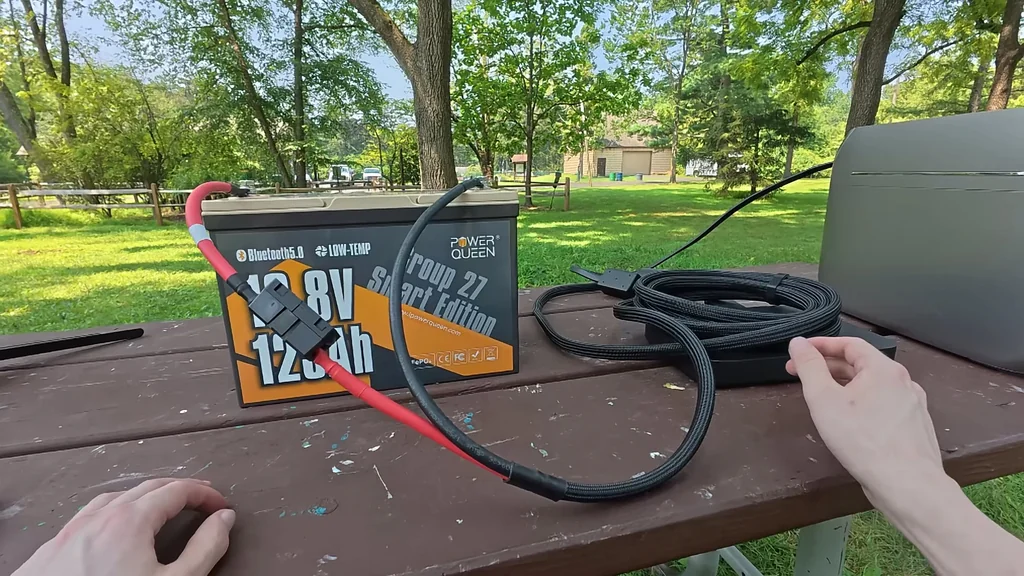
A 12.8V 125Ah LiFePO4 battery is an ideal candidate for this setup. These batteries offer thousands of charge cycles and include critical safety features like low-temperature shut-off. Bluetooth connectivity is mandatory here. It's a key feature. Using the accompanying app allows you to monitor the state of charge, which is crucial for managing the system effectively.
Why XT60 Solar Ports Are Suboptimal
Some users try to connect 12V batteries directly to the XT60 solar input ports. While this works, it's inefficient. The power station treats the input as solar, which limits the charge rate and restricts power flow to a single direction. It's slow. If you want a robust expansion, this isn't the right path.
Installing the DC-to-DC Charger
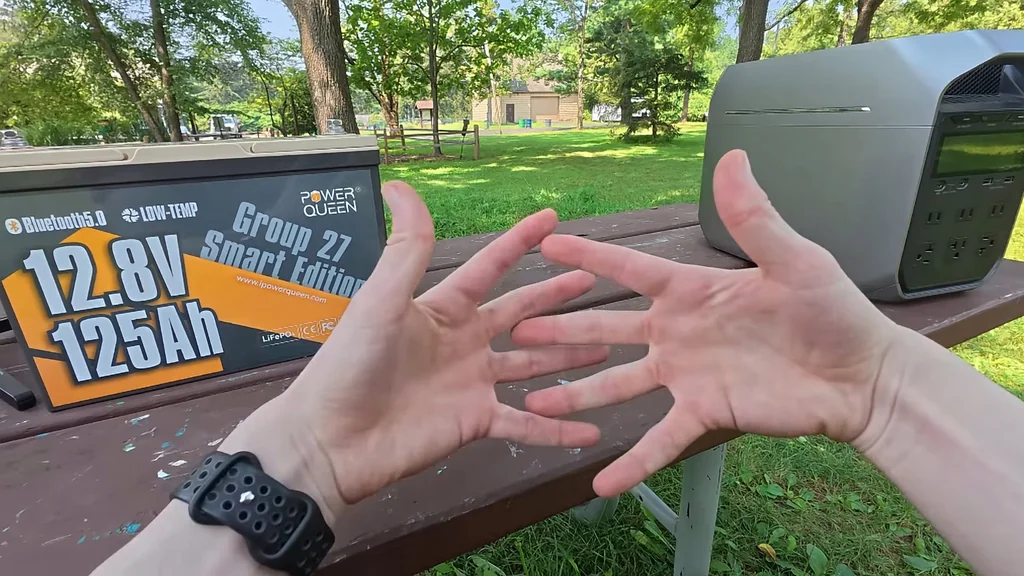
The most reliable way to link these batteries is through a dedicated DC-to-DC charger. This device steps up the voltage to 48V, which is compatible with the power station's expansion port. It's a clean solution. Once connected to the expansion port, the system remains inactive until you configure it. You must use the manufacturer's app to bridge the two units.
Configuring Charge and Discharge Settings
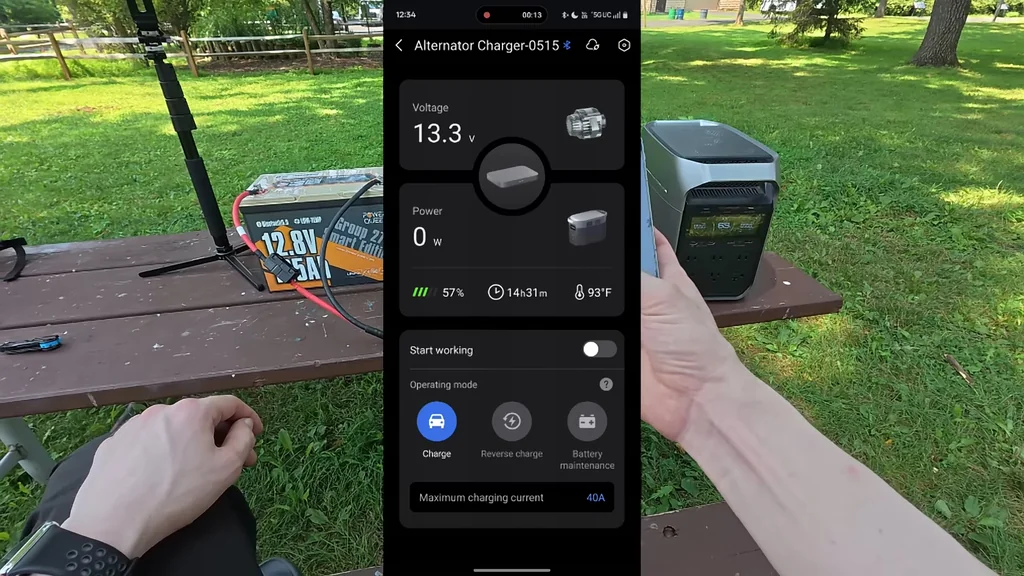
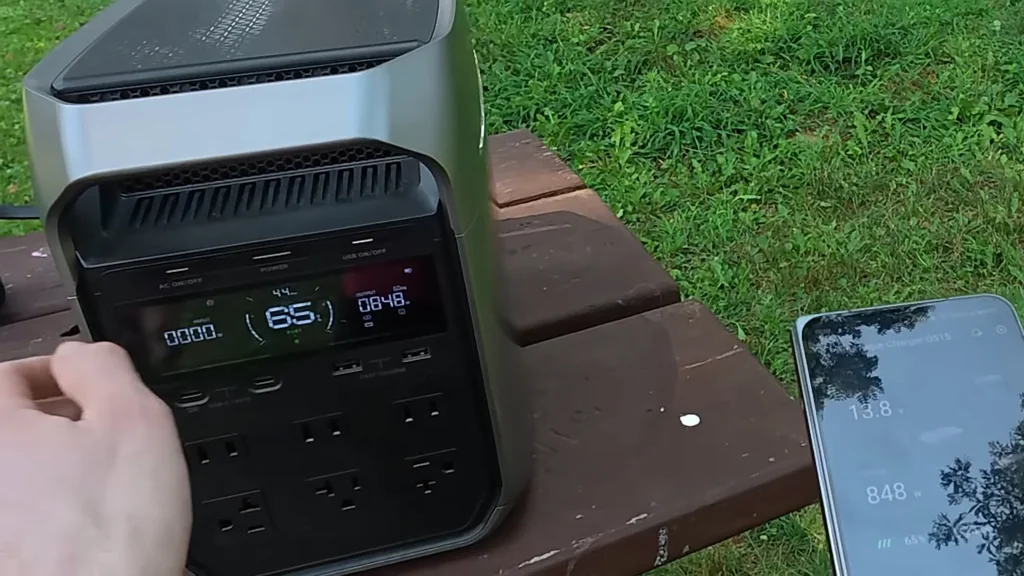
Open the EcoFlow app to manage the charging mode. You can toggle between standard charging and reverse charging. The 800W charger allows for a maximum current of 70 amps. I prefer to limit it to roughly 40 amps, which provides about 500 watts of input. It's safer that way. This prevents the system from running too hot during extended transfers.
Monitoring Power Transfer Efficiency
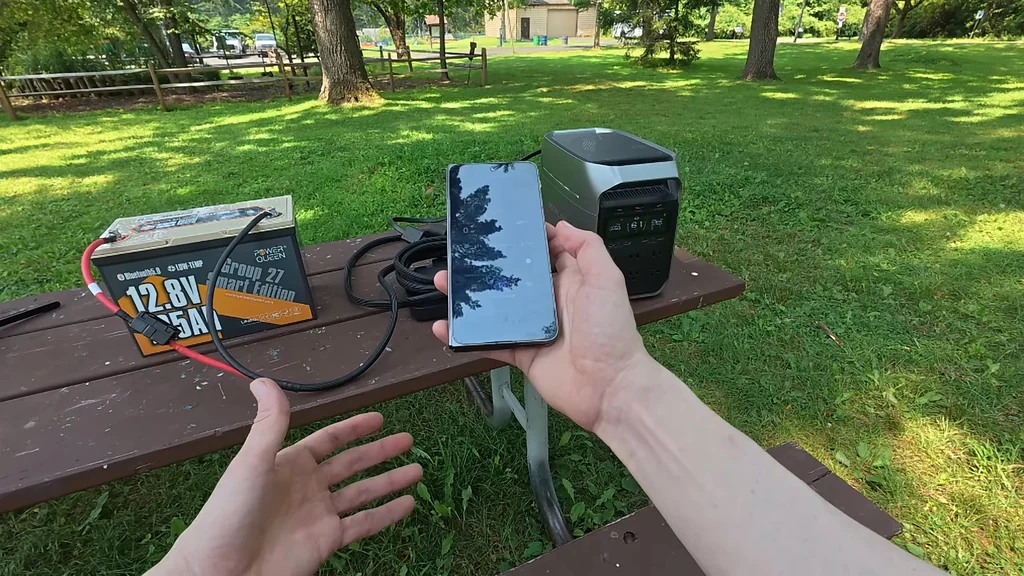
The app provides real-time data on the power leaving the 12V battery and the amount being absorbed by the power station. You'll see a slight difference due to conversion losses, but it's minimal. It's very efficient. This setup is the most effective way to move energy between two disparate battery systems.
Utilizing Reverse Charging for Maintenance
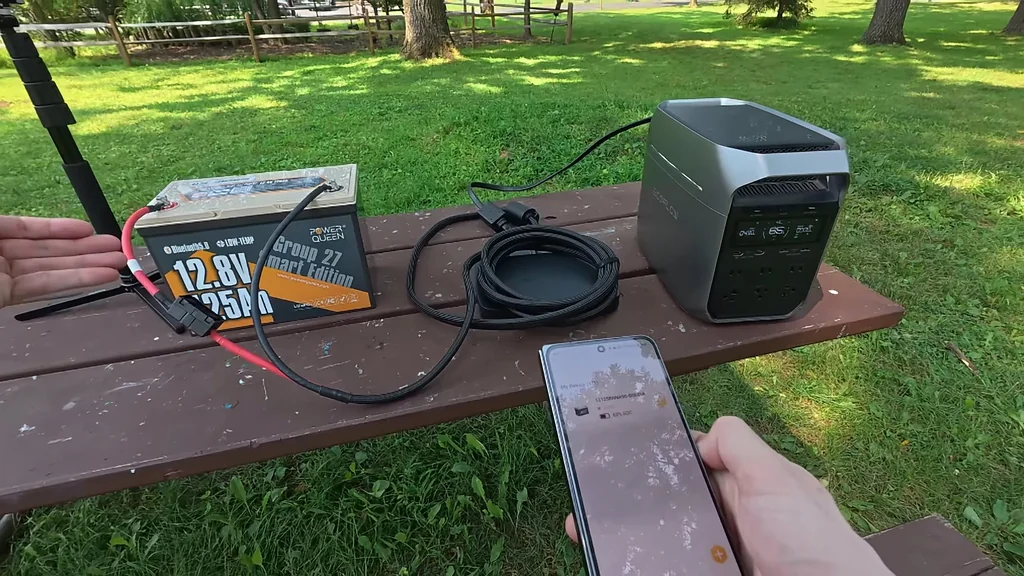
You can reverse the flow to charge the 12V battery using the power station's AC input. This is fully customizable within the app settings. It's flexible. While this doesn't perfectly mirror the behavior of first-party expansion packs—which act as a single unit—it's a solid, functional alternative.
Managing the System Manually
This setup requires manual intervention to switch between charging and discharging. It's a slight hassle. However, because the control is app-based, it's far superior to the basic XT60 connection. I use the reverse charge mode whenever I'm connected to AC power to keep both batteries topped off.
Final Verdict on Budget Expansion
Using a high-quality LiFePO4 battery with a dedicated charger is a proven, cost-effective strategy. The mobile app integration makes the process manageable. It's a solid choice. If you're looking to expand your capacity without breaking the bank, this method works.
⚠️ CAUTION: SAFETY WARNING!
Always ensure your DC-to-DC charger is rated for the voltage of your battery and power station. Improper connections can lead to short circuits or battery damage.
Summary & Tips
Expanding your power station capacity with a 12V LiFePO4 battery is a practical, budget-friendly workshop project. While it lacks the plug-and-play convenience of official packs, the app-based control makes it highly usable. You get significant extra runtime for a fraction of the price. It's a smart upgrade for any serious off-grid setup.
📋 FAQ
❓ Can I use any 12V battery for this?
Honestly, you should stick to LiFePO4 batteries. They match the chemistry of most modern power stations. It's safer.
❓ Is the DC-to-DC charger strictly necessary?
Yeah, it's the only way to get efficient power transfer. Without it, you're limited to slow, inefficient solar-style charging. It matters.
❓ Does this setup act like a single battery?
Nah, it doesn't. You have to manually manage the charge and discharge modes via the app. It's a bit more work.
❓ Will this void my power station warranty?
Depends on the manufacturer. Always check your manual before connecting third-party devices to expansion ports. Be careful.
Disclaimer: I purchased all tools for this guide with my own money to ensure an unbiased review. This post contains affiliate links, meaning I earn a small commission if you make a purchase at no extra cost to you.