Picked up the EcoFlow River 3 Plus to see if it actually works as a UPS for a home office setup. The big selling point is that sub-10ms transfer time — fast enough to keep a desktop computer running without a hiccup when the power drops. I’m tearing into the real-world capacity, testing the X-Boost feature, checking solar input limits, and verifying the grounding situation on the AC output. Let’s see if this thing actually delivers.
⚡ Quick Guide: How to Evaluate the River 3 Plus
- Check the AC ground pin continuity first — this matters for UPS use.
- Run a full capacity test to see how many watt-hours you actually get.
- Push the X-Boost feature with a resistive load and watch the voltage drop.
- Hook up a computer and test the UPS transfer — does it stay on?
- Monitor solar input to see if it hits the rated charging wattage.
📋 In This Article
- Technical Specifications & Components
- Tools & Materials Used — what you will need for this project
- Unboxing and First Impressions
- Front Panel Walkthrough
- Battery and Charging Specs
- Capacity Discharge Test
- Verifying Usable Watt-Hours
- X-Boost Explained
- X-Boost in Action
- Overload Protection Test
- Solar Input Testing
- UPS Transfer Test with Computer
- Ground Pin Verification
- Safe Shutdown Feature
- Mobile App Overview
- Final Verdict
- Accessory Complaints
- FAQ
📊 Technical Specifications & Components
| Battery Chemistry | LiFePO4 |
| Cycle Life | 3,000 cycles to 80% SOH |
| Inverter Rating | 600W Continuous |
| X-Boost Capability | 1,200W |
| AC Charge Max | 380W |
| DC Charge Input Range | 11-55V |
| DC Charge Max | 220W |
| Transfer Time | <10ms |
| AC Output | Single port with ground pin |
| USB-C Output | 100W |
📊 Project Overview & Costs
🔧 Difficulty Level: Easy
⏱️ Time Investment: DIY: 1 hour | Pro: 30 minutes
💰 Professional Service Cost: N/A
💡 Verdict: Testing confirms whether this can replace a dedicated lead-acid UPS for your specific hardware.
🛠️ Tools & Materials Used
• Genesis Dual-Temp Heat Gun
• 330W Solar Panel
• Desktop Computer
Step-by-Step Assembly, Repair, Testing & Inspection
Unboxing and First Impressions
Pulled the River 3 Plus out of the box and honestly, it feels more solid than I expected. It's compact, easy to grab with one hand, and doesn't have that cheap plastic feel some budget units have. EcoFlow is clearly pushing this as a UPS replacement, which is exactly why I wanted to test it. Let's see if it actually holds up.
Front Panel Walkthrough
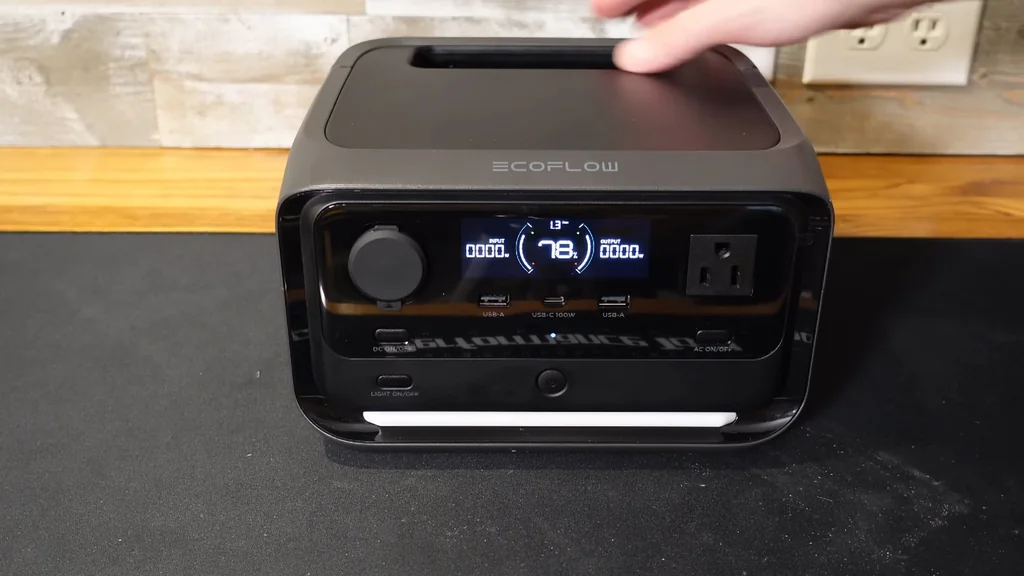
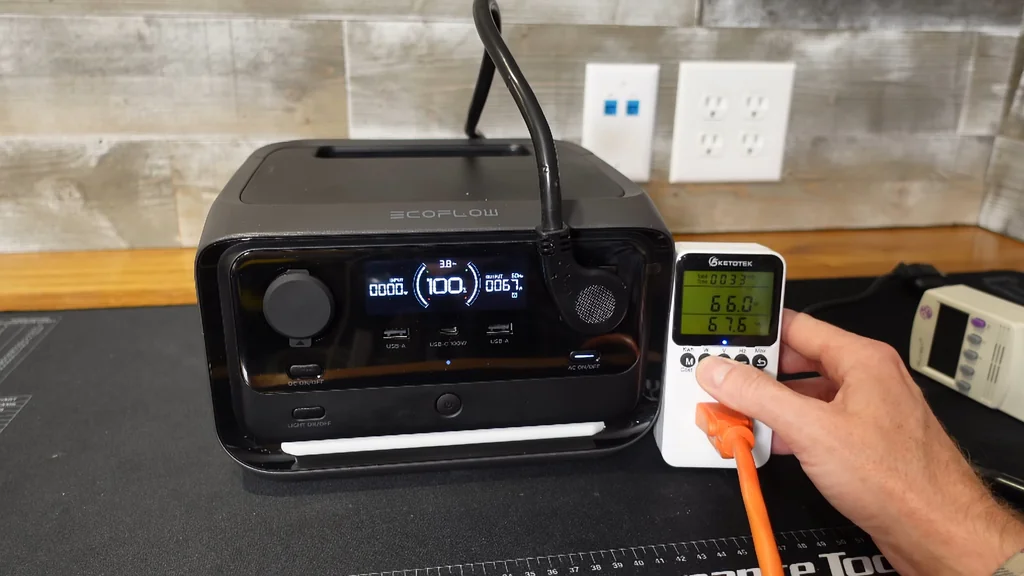
The front panel is pretty straightforward. You've got a clear display showing input and output wattage plus battery percentage. There's a 12V car port, two USB-A ports, and a 100W USB-C. The single AC outlet sits on the front too, with separate power buttons for DC and AC circuits. There's even an LED strip along the bottom for workspace lighting — nice touch.
Battery and Charging Specs
This runs LiFePO4 chemistry rated for 3,000 cycles before dropping to 80% health. That's basically eight years of daily cycling — way better than lead-acid. The 600W inverter has X-Boost capability. AC charging maxes at 380W, so you can refill this thing in under an hour. DC input takes 11-55V at 220W — about 3.5 hours from a car or 1.5 hours with solar.
Capacity Discharge Test
Running a capacity test on the AC output to see what actually comes out of the wall plug. There's always conversion loss going from DC to AC — the internal fan and electronics eat some power. I'm not expecting the full 286 watt-hours at the outlet. We'll drain it until the low-voltage cutoff kicks in and see what the meter says.
Verifying Usable Watt-Hours
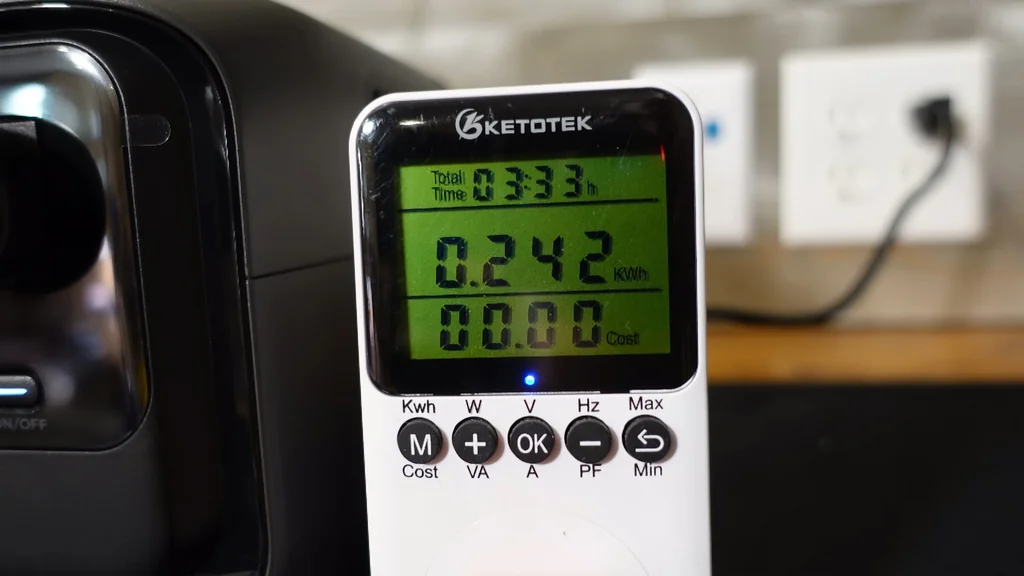
The unit shut down after delivering 242 watt-hours over 3 hours and 33 minutes. That's the realistic number you can count on from the AC side. To get it back on, I had to plug in the AC input — it clicked back to life once the internal state reset. Good baseline data for planning actual backup runtime.
X-Boost Explained
X-Boost is one of those features people misunderstand. The inverter is rated for 600W continuous. X-Boost lets you run 1,200W loads, but there's a catch — it drops the output voltage to make it happen. It's not a true 1,200W inverter. It's a software workaround for resistive loads like heaters, toasters, or a hair dryer. Not for anything with a motor or sensitive electronics.
X-Boost in Action
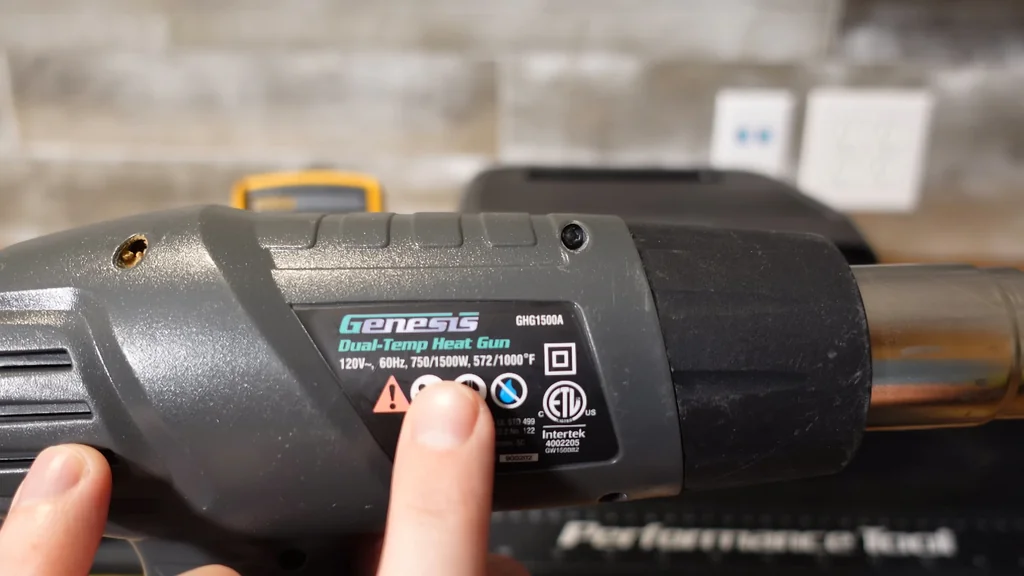
Hooked up a voltmeter and a heat gun to see what X-Boost actually does. I wouldn't run anything with a circuit board through this — it's strictly for heating elements. If you need more than 600W for real work, buy a bigger inverter. It's safer and you won't be fighting voltage sag. Let's push this thing past its rating and see how it handles the overload.
Overload Protection Test
With the heat gun on low, the inverter showed 600W at 105V — already struggling. Switching to high pushed it to 668W and the voltage dropped to 81V. That's bad. The unit eventually tripped the overload protection, confirming it can't sustain loads much above its rated capacity. X-Boost is a short-term hack, not a real solution.
Solar Input Testing
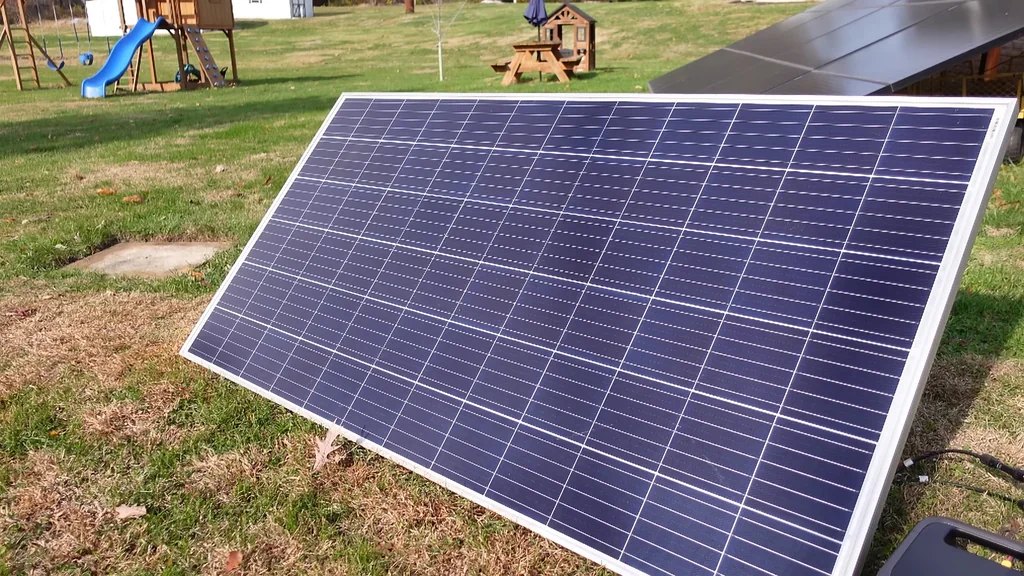
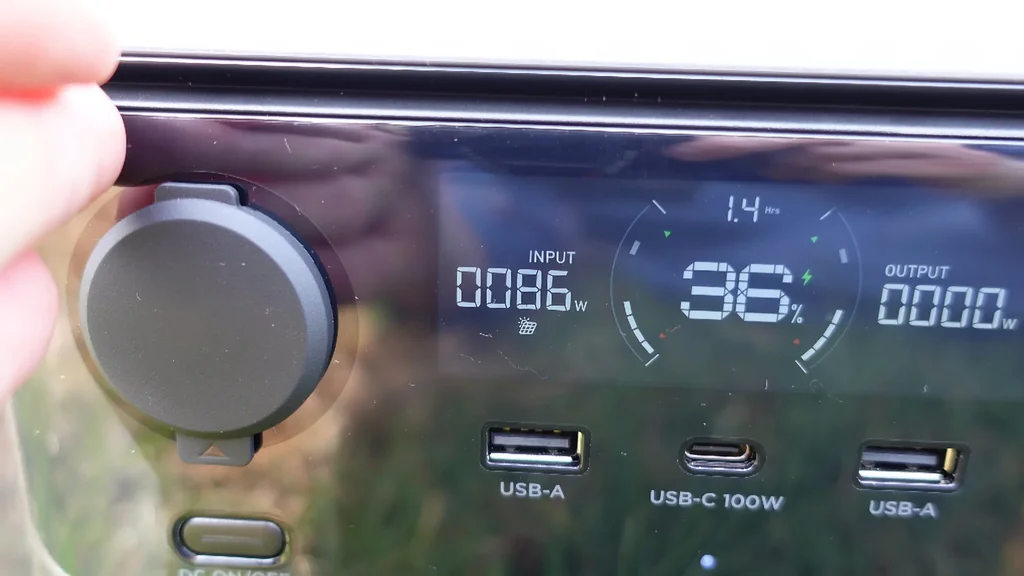
Hooked up a 330W panel at 46V open circuit — right at the edge of what this thing can take. It's pulling just under 200W, with peaks around 220W. That's pretty solid for a unit this size. The input tapers off as conditions change, but it's clearly working within spec.
UPS Transfer Test with Computer
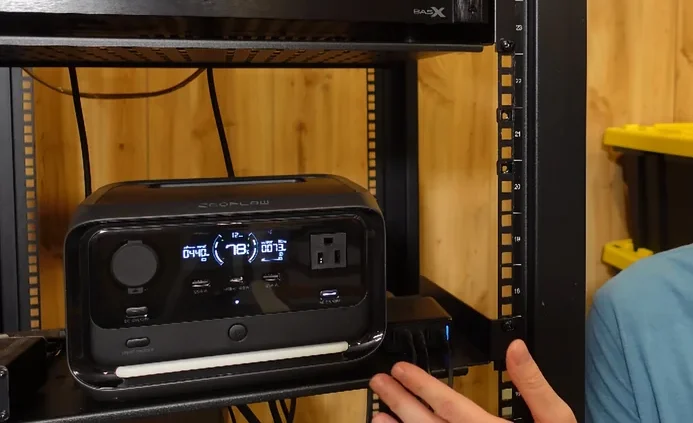
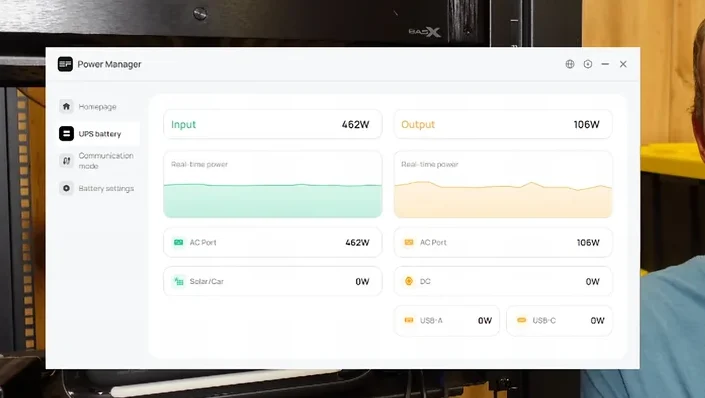
The real test — plugged my desktop computer into the AC output. The unit was pulling 455W from the wall while outputting 118W to the PC, with the rest going to battery charging. Then I pulled the AC plug. The computer didn't even flicker. That sub-10ms transfer time is legit. This is exactly what you want from a UPS.
Ground Pin Verification
The older River Pro didn't have a proper ground pin. This one does. I grabbed the multimeter and checked continuity between the ground pins. Confirmed — you've got a real ground path even when running in UPS mode. That's important for safety and for any equipment that expects a grounded outlet.
Safe Shutdown Feature
There's a feature here that a lot of people won't think about until they need it. If you're away from home and the power goes out, this unit can signal your computer to shut down safely before the battery dies. That means no data loss, no corrupted files. For anyone running a home server or NAS, this is a big deal.
Mobile App Overview
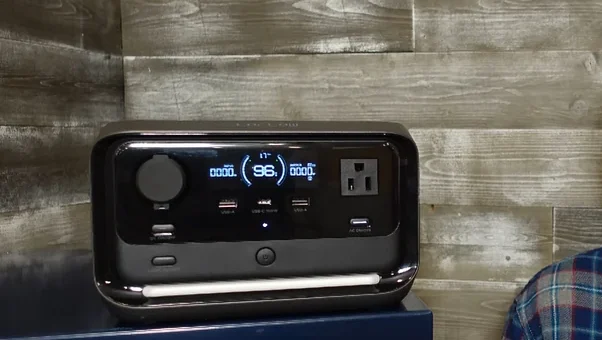
EcoFlow has an app for managing settings. It's optional — you don't need it for basic operation. But if you want to toggle X-Boost or adjust display timeouts, you'll need to dive in there. You can also set the DC input charger type through the interface. Nothing earth-shattering, but it's there if you want it.
Final Verdict
This thing is going to live out its days as a UPS for my computer. It's reliable, and I'm done with lead-acid units that die after two minutes of runtime. This is a huge upgrade. My only real complaint is that I wish it had a second AC output on the front — one outlet feels limiting when you've got a computer, monitor, and peripherals to plug in.
Accessory Complaints
One thing that bugs me — the MC4 adapter cable should be included in the box. It costs EcoFlow pennies to make, and including it would save everyone a headache when they're trying to hook up solar panels. If you're planning to grab one of these, let me know how it goes. I'll follow up if I run into any issues down the road.
⚠️ CAUTION: SAFETY WARNING!
Lithium batteries can catch fire if shorted or punctured. Keep the unit away from flammable materials during testing and never open the casing yourself.
Summary & Tips
The River 3 Plus works well as a compact UPS for low-to-medium power office gear. LiFePO4 chemistry gives it a serious lifespan advantage over lead-acid alternatives. X-Boost is limited to resistive loads, but the core inverter and transfer performance are solid. If you need reliable short-term backup power and don't want to deal with traditional UPS maintenance, this is a practical choice.
📋 FAQ
❓ Can I use X-Boost for my computer?
No, don't do that. X-Boost drops the output voltage to handle high-wattage resistive loads. Your computer's power supply won't like it and could get damaged.
❓ Is the mobile app required?
Not really. You can use the unit fine without it. The app is only needed for tweaking advanced settings like X-Boost or screen timeouts.
❓ How long does it take to charge?
From AC, less than an hour. From solar, about 1.5 hours under good conditions. From a car outlet, around 3.5 hours.
❓ Does it have a real ground pin?
Yeah, I verified it with a multimeter. It provides a proper ground path for your connected devices, which is important for safety.
Disclaimer: I purchased all tools for this guide with my own money to ensure an unbiased review. This post contains affiliate links, meaning I earn a small commission if you make a purchase at no extra cost to you.
If you are planning an emergency backup setup or configuring a camper for off-grid travel, matching your power storage with the right appliances is essential. For more practical hardware tests and step-by-step installation guides, take a look at these recent breakdowns: